8 Best Granola AI Alternatives in 2026: Tested & Ranked
Granola built a devoted following by being the first polished “no-bot” AI notetaker — it captures your computer's audio so no bot joins the call. But a series of privacy and security stories in 2026 has a lot of professionals reconsidering. In April, The Verge reported that Granola notes are viewable to anyone with a link by default, and that AI training is switched on by default for non-enterprise accounts — a real problem if your meetings involve confidential client work.
We tested 12+ meeting note tools against the criteria that matter when you're leaving Granola: bot-free capture, where your notes are actually stored, whether your data trains AI, and whether you get dictation in the same deal. Here are the 8 best Granola alternatives in 2026.
Key Takeaways
- Voibe Work is our #1 Granola alternative — the same no-bot capture, but notes stay on your Mac and you also get a full dictation app for one price
- Granola's privacy defaults raised real concerns in 2026: notes shareable by link by default and AI training on by default for non-enterprise accounts
- The no-bot category is maturing fast — Wispr Flow launched its own Granola-style notetaker in August 2026, and Fathom shipped a bot-free beta
- For confidential work, prioritize where notes are stored and whether your data trains models — not just whether a bot joins the call
- Bot-based tools like Otter and Fireflies still win on integrations and team features if you're comfortable with a named AI participant in the call
Why Look Beyond Granola?
Granola is genuinely good at what it does — it proved that meeting notes don't need a bot, and its notes are clean and useful. But three issues have pushed privacy-conscious users to look elsewhere:
Notes live in Granola's cloud
Your notes and transcripts are stored in Granola's AWS cloud, encrypted at rest and in transit — but not on your machine, where you control them.
Shareable by link, trained on by default
The Verge found notes are viewable to anyone with a link by default, and AI training is on by default for non-enterprise accounts.
Security disclosures
Security researchers at Strix documented a one-click account takeover and webcam-adjacent access in Granola's Electron desktop app in July 2026 (since patched).
No dictation included
Granola is meeting notes only. If you also want to dictate into documents and email, you'll need a separate dictation app on top.
The context for the security finding is worth noting: researchers at Strix reported that a user-controlled link in Granola's activity feed could navigate a trusted window to an attacker-controlled page while keeping access to the app's privileged Electron bridge — session tokens, local database, and screenshot paths all in reach. Granola confirmed the issue and shipped server-side fixes quickly, with no evidence of exploitation. The takeaway isn't that Granola is uniquely unsafe; it's that a tool holding your most sensitive conversations in a cloud service is one more thing you have to trust — and some of us would rather keep those notes on our own machine.
There's also a history lesson here for people who want to own their data. Granola has never offered plain-text local files for your notes — your transcripts and summaries live in its cloud, encrypted and locked behind its servers. Early users who wanted their notes in tools like Obsidian had to reverse-engineer Granola's API to get them out, as security researcher Joseph Thacker documented in 2025, and community sync plugins popped up to fill the gap. Granola's official answer wasn't to open up your data — it was to ship its own MCP connector, which routes your notes through Granola's cloud into AI apps rather than handing you local files you control. That's the deeper difference: with Granola, your meeting data always lives on Granola's servers, and the only sanctioned way to touch it programmatically goes back through them. If you want your meeting data to actually live with you, that's the single biggest reason to consider the alternatives below.
Quick Comparison Table
| Tool | Best For | Starting Price | No Bot? | Dictation |
|---|---|---|---|---|
| Voibe | Best overall (notes + dictation) | $14/mo | Yes | Included |
| Jamie | EU teams, multilingual | Free trial | Yes | No |
| Wispr Flow | Existing Wispr users | $15/mo | Yes | Included |
| Otter.ai | Deep integrations | Free (300 min) | No | No |
| Fathom | Free unlimited recordings | Free | Beta | No |
| Fireflies | Searchable knowledge base | Free | No | No |
| Tactiq | Google Meet / browser | Free | Yes | No |
| Read AI | Meeting analytics | Free | No | No |
How We Tested These Granola Alternatives
We evaluated 12+ meeting note tools over three weeks, running the same set of test meetings (client calls, internal standups, and a mock confidential review) through each. Our scoring prioritized six criteria:
Bot-free capture
Does a named AI participant join the call, or is audio captured from your device? Does it work in Zoom, Meet, Teams, and in-person?
Where notes are stored
Are transcripts and summaries kept on your machine or in a vendor cloud? Who can access them?
AI training & retention
Is your data used to train models? Is there zero retention, or do you rely on an opt-out?
Summary & action-item quality
How accurate and usable are the generated summaries, action items, and answers to follow-up questions?
Integrations & platform support
Which meeting platforms, CRMs, and productivity tools does it connect to?
Value for money
Does the price match the features? Does a single plan cover both meeting notes and dictation?
We weighted privacy and storage highest because that's what most people leaving Granola tell us they care about. Bot-free capture was table stakes; where the notes live and whether your data trains AI is what actually separates the field.
Pro Tip
If confidentiality is your top concern, filter first on where notes are stored and whether the tool trains on your data — not just on whether a bot joins. A no-bot tool that still uploads everything to a vendor cloud (and trains on it by default) isn't much safer than a bot.
Voibe
Best for: Professionals and teams who want no-bot meeting notes plus a full dictation app — with notes kept on their own machine
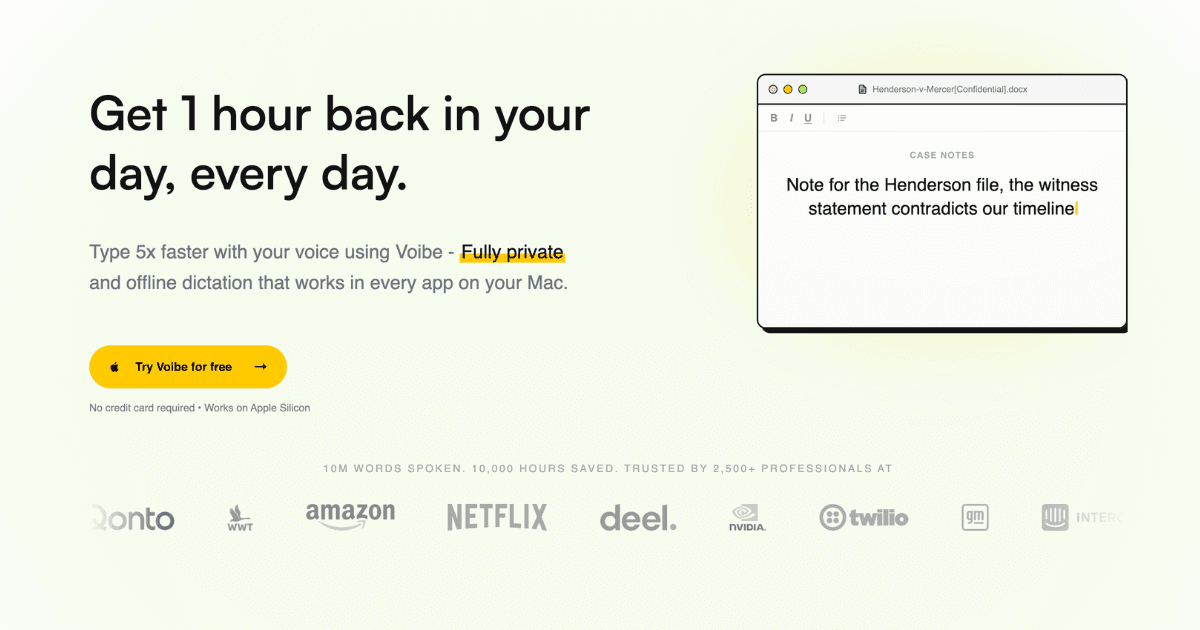
Voibe Work is our top Granola alternative because it fixes the two things that push people away from Granola: it saves your meeting transcripts and summaries on your Mac instead of a vendor cloud, and it runs on open-source models with zero data retention — your meetings are never used to train AI, on any plan. Capture works the same no-bot way Granola made popular: Voibe records from your Mac, so nothing joins the call but you, in Zoom, Teams, Meet, Webex, or Slack huddles. The difference is the bundle. Voibe Work is the only tool in this category that also includes a full dictation app (Voibe Dictation) that types into every app on Mac and Windows. At the price of a no-bot notetaker, you're getting dictation too — the same combination you'd otherwise pay for twice with Granola plus a separate dictation app.
Key Features
- No bot joins the call: Voibe captures meeting audio from your Mac, so clients, patients, and counterparties see you — not a recording bot
- Notes saved on your Mac: Transcripts and summaries are written to your device, with one-click copy and PDF export for the client file
- Zero Data Retention Cloud: Audio is deleted the moment processing completes; open-source models on zero-retention providers (Groq & Cerebras)
- Never trained on: Your dictation, meetings, and notes are never used to train AI models — not Voibe's, not anyone's
- Full dictation app included: Voibe Work includes Voibe Dictation for every app on Mac and Windows — the only no-bot notetaker that does
- AI summaries + chat with meetings: Template-based summaries per meeting type and a Q&A that runs on the same zero-retention cloud
Pricing
| Plan | Monthly | Annual (per month) |
|---|---|---|
| Voibe Dictation | $9.90 | $7.50/mo |
| Voibe Work (dictation + notes) | $18.50 | $14/mo |
| Enterprise (10+ seats) | Custom | Custom |
Pros
- Notes stay on your Mac, not a vendor cloud
- Zero data retention and never trained on — on every plan
- Includes a full dictation app (Mac & Windows) at no extra cost
- BAA available on request for regulated teams
- 7-day free trial and 30-day money-back guarantee
Cons
- Meeting notes are Mac-only today (Windows coming soon)
- Younger brand than Granola or Otter
- No third-party CRM integrations yet
Verdict: For confidential work, Voibe Work is the best Granola alternative available. You get the same no-bot capture with a stronger privacy model — notes on your Mac, zero retention, never trained on — plus a full dictation app thrown in. It's the no-brainer deal in this category.
Visit VoibeJamie
Best for: European teams that want a simple, GDPR-friendly bot-free notetaker with strong multilingual support
Jamie is the best-known Granola alternative out of Europe. Like Granola, it's bot-free — Jamie never joins your call, instead capturing from your device so notes work in Zoom, Google Meet, Teams, and in-person meetings. Its strengths are multilingual support (it handles 15+ languages and auto-detects them) and a focus on action items: Jamie pulls tasks and decisions out of the conversation and can route them into your task manager. It's especially popular with German and EU teams because of its GDPR posture and EU data residency. The tradeoff versus Voibe is the same one Granola has: your notes live in Jamie's cloud, not on your machine, and there's no dictation app included.
Key Features
- Bot-free capture: No bot joins your call; Jamie transcribes from your device across Zoom, Meet, Teams, and in-person
- Multilingual (15+ languages): Auto-detects and transcribes in 15+ languages, which makes it strong for international teams
- Action item extraction: Surfaces tasks, owners, and decisions automatically and can push them to your task manager
- EU data residency: Founded in Germany with a GDPR-first posture that resonates with European compliance teams
Pricing
| Plan | Monthly | Annual (per month) |
|---|---|---|
| Free trial | Free | Free |
| Paid plans | From ~€24 | ~€20/mo |
Pros
- Bot-free with strong multilingual support
- GDPR-friendly with EU data residency
- Good action-item and task extraction
- Works for in-person as well as virtual meetings
Cons
- Notes stored in Jamie's cloud, not on your device
- No dictation app included
- Pricier than Voibe Work for a notes-only product
- Less transparent about AI training than zero-retention tools
Verdict: Jamie is the best Granola alternative if you're in the EU and want a straightforward bot-free notetaker with excellent multilingual support. If you also want dictation or on-device notes, Voibe is the stronger all-in-one pick.
Visit JamieWispr Flow Notetaker
Best for: Current Wispr Flow dictation users who want a Granola-style notetaker without adding another subscription
Wispr Flow is best known as a $15/month AI dictation app, but in August 2026 it launched its own Granola-styled meeting notetaker for Mac, as reported by TechCrunch. The notetaker uses system audio to transcribe a meeting without joining one — the same no-bot approach — and adds cleaned-up transcripts, action items, and the ability to query across your meeting history. If you already pay for Wispr Flow for dictation, this is a natural way to add meeting notes. But it's the mirror image of Voibe's problem solved in reverse: Wispr Flow started with dictation and bolted on meeting notes, and it keeps both in its cloud. For confidential work, it still can't match a zero-retention, on-device option.
Key Features
- No-bot capture: Uses system audio to transcribe meetings without a bot joining, mirroring Granola's approach
- Built on a dictation app: Pairs meeting notes with Wispr Flow's existing dictation engine, so you get both in one stack
- Live transcript + catch-up: Shows a live transcript during the call and lets you ask the AI to catch you up
- Action items + history query: Generates action items and lets you query across your meeting history with AI
Pricing
| Plan | Monthly | Annual (per month) |
|---|---|---|
| Wispr Flow (dictation) | $15 | $15/mo |
| Notetaker | Bundled (Mac) | Rolling out |
Pros
- Same no-bot approach as Granola
- One subscription covers dictation and meeting notes
- Live transcript and AI catch-up features
- Backed by a well-funded dictation company
Cons
- Notes and audio live in Wispr's cloud
- Notetaker is new and Mac-only so far
- No on-device or zero-retention option
- Dictation is cloud-based, which is weaker for sensitive work
Verdict: Wispr Flow's notetaker is a smart add-on if you already use Wispr Flow for dictation. But as a standalone Granola alternative for confidential work, it inherits the same cloud-data concerns — with none of Voibe's on-device or zero-retention guarantees.
Visit Wispr Flow NotetakerOtter.ai
Best for: Teams that want deep platform integrations and are comfortable with a named AI participant joining the call
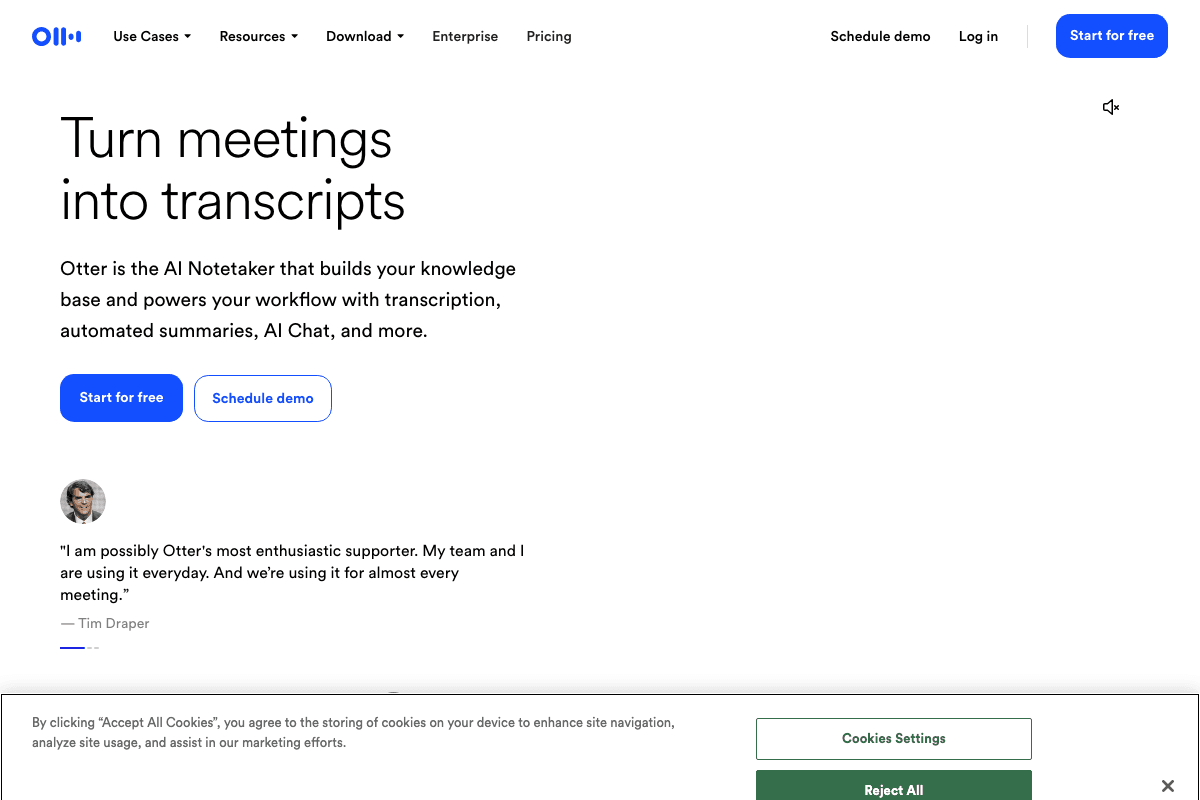
Otter.ai is the most established name in meeting transcription and the most popular bot-based option if you're fine with a bot joining. OtterPilot joins your Zoom, Meet, or Teams call as a participant, captures live transcription with speaker identification, and generates summaries and action items. It's a polished, feature-complete product with strong integrations — but it's the opposite of the no-bot philosophy: your meeting has an extra participant, recordings and transcripts sit in Otter's cloud, and the privacy model is nothing like a zero-retention tool. If you're leaving Granola specifically over privacy, Otter isn't the answer. If you just want the deepest integrations, it is.
Key Features
- OtterPilot bot: A named AI participant joins the call and captures real-time transcription with speaker labels
- Platform integrations: Native Zoom, Google Meet, and Microsoft Teams integration for one-click capture
- Live summaries & action items: Generates meeting summaries, action items, and key decisions automatically
- Team collaboration: Shared workspace with comments, highlights, and collaborative editing
Pricing
| Plan | Monthly | Annual (per month) |
|---|---|---|
| Free | Free (300 min/mo) | N/A |
| Pro | $16.99 | $8.33/mo |
| Business | $30/user | $20/user/mo |
Pros
- Deepest integrations of any meeting notetaker
- Generous free tier (300 min/month)
- Mature product with strong collaboration features
- Speaker identification and live transcription are best-in-class
Cons
- A bot joins your call — the exact thing no-bot tools avoid
- Recordings and transcripts kept in Otter's cloud
- No on-device or zero-retention option
- More expensive per seat than Voibe Work at the Business tier
Verdict: Otter.ai is the best bot-based alternative if integrations matter more than privacy. But if you're switching from Granola because you don't want a bot or you don't trust cloud AI with client data, Otter moves you in the wrong direction.
Visit Otter.aiFathom
Best for: Cost-conscious individuals and sales teams that want unlimited free recording with optional CRM sync
Fathom is the best free Granola alternative. Its free plan includes unlimited recordings, transcriptions, instant AI summaries, and now a bot-free capture option in beta for Mac — so you can get a no-bot experience without paying anything. Historically Fathom joined calls as a bot (and it still offers that), but the bot-free beta closes the gap with Granola's signature feature. Paid tiers add advanced summaries, action items, CRM field sync (Salesforce/HubSpot), and coaching metrics, making it popular with sales teams. The catch for confidential work is the same as the rest of the cloud category: your data lives in Fathom's cloud.
Key Features
- Free unlimited recordings: Free plan includes unlimited recordings, transcriptions, and instant AI summaries
- Bot-free capture (beta): A bot-free capture option on Mac means you can skip the named AI participant entirely
- CRM sync: Automatically pushes summaries and action items into Salesforce and HubSpot records
- MCP + API: Public API and MCP let you build custom workflows on top of your meeting data
Pricing
| Plan | Monthly | Annual (per month) |
|---|---|---|
| Free | Free | Free |
| Premium | $20 | $16/mo |
| Team | $19/user | $15/user/mo |
Pros
- The best free tier in the category (unlimited recordings)
- Bot-free beta brings it closer to Granola's no-bot experience
- Strong CRM sync for sales teams
- MCP and API access for custom workflows
Cons
- Bot-free capture is still in beta and Mac-only
- Notes and recordings kept in Fathom's cloud
- No on-device or zero-retention option
- Advanced features gated behind paid tiers
Verdict: Fathom is the best free Granola alternative — the unlimited free tier is hard to beat, and the bot-free beta is promising. For confidential work, though, it's still a cloud tool, so Voibe remains the stronger privacy pick.
Visit FathomFireflies.ai
Best for: Teams building a searchable, queryable knowledge base across all their meetings
Fireflies.ai is a bot-based notetaker built around the idea of a searchable meeting knowledge base. Its bot joins your call, transcribes everything, and then lets you search and query across your entire meeting history with AI — 'what did we agree on the pricing call last month?' It integrates with CRMs and Slack, offers conversation analytics, and has a free tier. Like Otter, it's a mature, feature-rich tool that sends a named bot into your meetings and keeps everything in the cloud. It's a strong choice for teams that want meeting intelligence at scale; it's a poor choice for anyone who doesn't want a bot or wants their data off third-party servers.
Key Features
- Meeting knowledge base: Search and query across all past meetings with AI-powered answers
- Bot joins the call: A named AI bot transcribes Zoom, Meet, Teams, and other calls in real time
- CRM & Slack integrations: Logs notes to CRMs and posts summaries to Slack channels automatically
- Conversation analytics: Tracks talk time, sentiment, and other meeting metrics across the team
Pricing
| Plan | Monthly | Annual (per month) |
|---|---|---|
| Free | Free | N/A |
| Pro | From ~$10 | From ~$10/mo |
| Business | From ~$19/user | From ~$19/user/mo |
Pros
- Excellent search and AI query across meeting history
- Strong CRM and Slack integrations
- Conversation analytics for coaching
- Generous free tier to start
Cons
- Bot joins every call — no bot-free option
- All data held in Fireflies' cloud
- No on-device or zero-retention option
- Privacy model unsuitable for highly confidential work
Verdict: Fireflies.ai is the best Granola alternative if your priority is a searchable meeting knowledge base and you're comfortable with a bot. For privacy-sensitive teams, it's the wrong tool — stick with a no-bot, on-device option like Voibe.
Visit Fireflies.aiTactiq
Best for: Google Meet and browser-heavy users who want capture without installing a desktop app
Tactiq takes a browser-first approach: a Chrome extension captures the meeting from your browser, so there's no separate bot participant and no desktop app to install. It's especially popular with Google Meet users and produces live transcripts, AI summaries, and action items. Because it captures from the browser rather than joining as a named bot, it's effectively a no-bot option — though it's limited to browser-based meetings and doesn't handle in-person or app-based calls the way device-audio tools like Voibe and Granola do. Data is processed in Tactiq's cloud.
Key Features
- Browser extension capture: Captures meeting audio from Chrome — no separate bot participant joins the call
- Google Meet native: First-class Google Meet support with live transcript and one-click summaries
- Live transcript + AI summaries: Real-time transcription with automatic summaries and action items
- No desktop install: Works entirely in the browser, so there's nothing to install or update
Pricing
| Plan | Monthly | Annual (per month) |
|---|---|---|
| Free | Free | N/A |
| Pro | From ~$12 | From ~$8/mo |
Pros
- No bot joins and no desktop app required
- Excellent for Google Meet users
- Free tier available
- Simple to roll out across a team
Cons
- Browser-only — misses in-person and some app-based calls
- Cloud-processed with no on-device option
- Fewer advanced features than Otter or Fireflies
- No dictation app included
Verdict: Tactiq is the best Granola alternative for Google Meet and browser-heavy teams that want no-bot capture with zero install. It's narrower than device-audio tools, but it nails the browser meeting use case.
Visit TactiqRead AI
Best for: Teams that want meeting summaries plus analytics like engagement and sentiment scoring
Read AI rounds out the bot-based camp with a focus on meeting analytics. Its bot joins your calls, transcribes them, and layers on engagement scores, sentiment, and talk-time metrics on top of AI summaries — useful for managers coaching reps or tracking meeting health at scale. It also produces a daily 'recap' email and cross-meeting insights. Like Otter and Fireflies, it's a mature cloud tool with a bot in the room, which makes it a poor fit for confidential or regulated conversations. Consider it for analytics, not for privacy.
Key Features
- Meeting analytics: Engagement, sentiment, and talk-time scores across calls for coaching and reporting
- Bot joins the call: A named AI participant transcribes and analyzes Zoom, Meet, and Teams meetings
- Daily recap email: A morning digest of your meetings, action items, and follow-ups
- Cross-meeting insights: Surfaces patterns and themes across your entire meeting history
Pricing
| Plan | Monthly | Annual (per month) |
|---|---|---|
| Free | Free | N/A |
| Pro | From ~$15 | From ~$15/mo |
Pros
- Best-in-class meeting analytics and engagement scores
- Daily recap email is genuinely useful
- Free tier to start
- Cross-meeting pattern detection
Cons
- Bot joins every call — no bot-free option
- Cloud-only with no on-device mode
- Analytics focus may be more than smaller teams need
- Not suitable for confidential or regulated work
Verdict: Read AI is the best Granola alternative if meeting analytics and coaching metrics are your goal. If privacy or a bot-free experience is the priority, look to Voibe, Jamie, or Fathom's bot-free beta instead.
Visit Read AIPrivacy & Capture Matrix
The single most important comparison when leaving Granola: how each tool captures your meeting and what happens to the data afterward.
| Tool | Capture method | Notes stored | AI training | On-device option |
|---|---|---|---|---|
| Voibe | Device audio (no bot) | On your Mac | Never (zero retention) | Yes (dictation) |
| Jamie | Device audio (no bot) | Vendor cloud | Not disclosed in detail | No |
| Wispr Flow | System audio (no bot) | Vendor cloud | Cloud-processed | No |
| Otter.ai | Bot joins call | Vendor cloud | Cloud-processed | No |
| Fathom | Bot (bot-free beta) | Vendor cloud | Cloud-processed | No |
| Fireflies | Bot joins call | Vendor cloud | Cloud-processed | No |
| Tactiq | Browser extension (no bot) | Vendor cloud | Cloud-processed | No |
| Read AI | Bot joins call | Vendor cloud | Cloud-processed | No |
How to Choose the Right Granola Alternative
The best alternative depends on your confidentiality requirements and workflow. Use this framework to narrow it down:
For Confidential or Regulated Work
Choose Voibe Work. It's the only option that keeps your notes on your Mac, runs on zero-retention open-source models, never trains on your data, and offers a BAA on request. At $14/mo it also includes a full dictation app — the no-brainer deal in the category.
For EU Teams or Multilingual Work
Choose Jamie for GDPR-friendly, EU-based capture with 15+ language support. If you also need dictation or on-device notes, Voibe is the stronger all-in-one.
For a Free or Budget Pick
Choose Fathom for unlimited free recordings (with a bot-free beta), or Tactiq for free browser-based capture on Google Meet.
For Teams That Don't Mind a Bot
Choose Otter.ai for the deepest integrations, Fireflies for a searchable knowledge base, or Read AI for meeting analytics.
Pro Tip
Every tool here has a free tier or trial except the enterprise plans. Start with Voibe's 7-day no-card trial for the privacy-first experience, then compare against Fathom's free tier to see whether you actually miss the bot-based features.
Frequently Asked Questions
Final Thoughts
Granola proved the no-bot meeting notetaker was a category worth taking seriously. But “no bot” and “private” are not the same thing. If your meeting notes and transcripts live in a vendor cloud, are shareable by link by default, and feed AI training unless you opt out, the fact that no robot face joined your call is cold comfort.
That's why Voibe Work is our top pick for 2026. It keeps everything you liked about Granola — clean notes, no bot in the room — and removes the parts that made you nervous: your notes stay on your Mac, nothing is retained in the cloud, nothing trains on your data, and you get a full dictation app in the same plan. At the price of a no-bot meeting notetaker, you're also getting dictation. That's an unbeatable combination and, right now, the best deal in this market.
For more on the category, see our guide to the best no-bot meeting notetakers, or explore the best dictation apps and Wispr Flow alternatives. For the data behind how people actually use voice and AI, read Voibe's State of AI Dictation report.
Need help with SEO? PikaSEO offers free SEO tools including keyword research, SERP analysis, and content optimization to help you rank higher in both traditional and AI search.
About the Author

Co-Founder & SEO Execution
Co-founder of PikaSEO. 11 years in corporate tech, then bootstrapped entrepreneur. Leads SEO execution and content-led growth for SaaS companies.