
9 Best Wispr Flow Alternatives in 2026: Tested & Ranked
Wispr Flow popularized AI-powered dictation for Mac, but its cloud-only processing, 800MB+ RAM usage, and $15/month pricing have left many users searching for better options. Whether you need stronger privacy, lower resource usage, or simply a cheaper way to dictate, the market in 2026 is packed with excellent alternatives.
We tested 15+ dictation and voice-to-text tools to find the 9 that deliver the best combination of privacy, performance, accuracy, and value. From offline-first apps that never touch the cloud to browser-based tools that require zero installation, this guide covers every use case and budget.
Key Takeaways
- Voibe leads as the best overall alternative with offline processing, sub-second startup, and ~150MB RAM usage at just $4.90/month
- Superwhisper is the runner-up with context-aware dictation modes and Apple Silicon optimization at $5.41/month
- VoiceInk offers the best free option with full offline processing under a GPL v3.0 open-source license
- BetterDictation delivers the best lifetime value at $39 one-time for offline dictation
- All top 5 alternatives use 40-90% less RAM than Wispr Flow while processing audio entirely offline
- Every tool on this list offers a free tier or trial, so test before committing
Why Switch from Wispr Flow?
Wispr Flow was one of the first polished AI dictation tools for Mac, but its approach comes with significant tradeoffs that have driven users to seek alternatives:
Heavy Resource Usage
800MB+ RAM and 8% constant CPU drain slows down your Mac, especially during resource-intensive tasks like coding or design work
Privacy Concerns
Cloud-only processing means your audio leaves your device. Wispr Flow also captures screenshots for context, which is a dealbreaker for sensitive work
Slow Startup
8-10 second startup delays break your flow and make quick dictation tasks feel sluggish compared to offline alternatives
Expensive Pricing
$15/month ($144/year) is steep when offline alternatives like Voibe offer better performance at $4.90/month or $99 lifetime
The good news: the dictation tool market has matured rapidly in 2026. Several alternatives now offer fully offline processing, sub-second startup, and dramatically lower resource usage — often at a fraction of Wispr Flow's price.
Quick Comparison Table
| Tool | Best For | Starting Price | Offline | Platform |
|---|---|---|---|---|
| Voibe | Best overall alternative | $4.90/mo | Yes | Mac |
| Superwhisper | Context-aware dictation | $5.41/mo | Yes | Mac/iOS |
| Otter.ai | Meeting transcription | Free (300 min) | No | Web/Mobile |
| VoiceInk | Free open-source | Free | Yes | Mac |
| MacWhisper | File transcription | Free/$30 | Yes | Mac |
| BetterDictation | Budget lifetime license | $39 lifetime | Yes | Mac |
| Aqua Voice | Real-time text overlay | $8/mo | No | Mac/Win |
| Dictanote | Browser-based dictation | Free/$4/mo | No | Chrome |
| OpenWispr | Cross-platform free | Free | Optional | Mac/Win/Linux |
How We Tested These Dictation Tools
We evaluated 15+ dictation and voice-to-text tools over three weeks, running identical test scenarios across each tool. Our testing methodology focused on six criteria:
Privacy & Data Handling
Does audio leave your device? Is data retained, logged, or used for training? Is the tool HIPAA-compatible?
Speed & Startup Time
How quickly does the tool activate from hotkey press? How fast is transcription relative to speech?
Transcription Accuracy
How well does it handle natural speech, technical terms, accents, and background noise?
Resource Usage
How much RAM, CPU, and battery does the tool consume during active dictation and while idle?
Platform & App Support
Which operating systems are supported? Does it work system-wide in any app or only specific ones?
Value for Money
Does the pricing align with the features delivered? Are there free tiers, lifetime options, or hidden costs?
Each tool was tested using the same set of dictation scenarios: email composition, technical documentation, conversational messages, and multi-language passages. We measured RAM usage with Activity Monitor and timed startup latency with a stopwatch.
Pro Tip
If privacy is your top priority, stick with offline-first tools like Voibe, Superwhisper, or VoiceInk. Cloud-based tools like Otter.ai and Aqua Voice offer useful features but require sending your audio to external servers.
Voibe
Best for: Professionals who need fast, private, offline dictation with minimal system impact
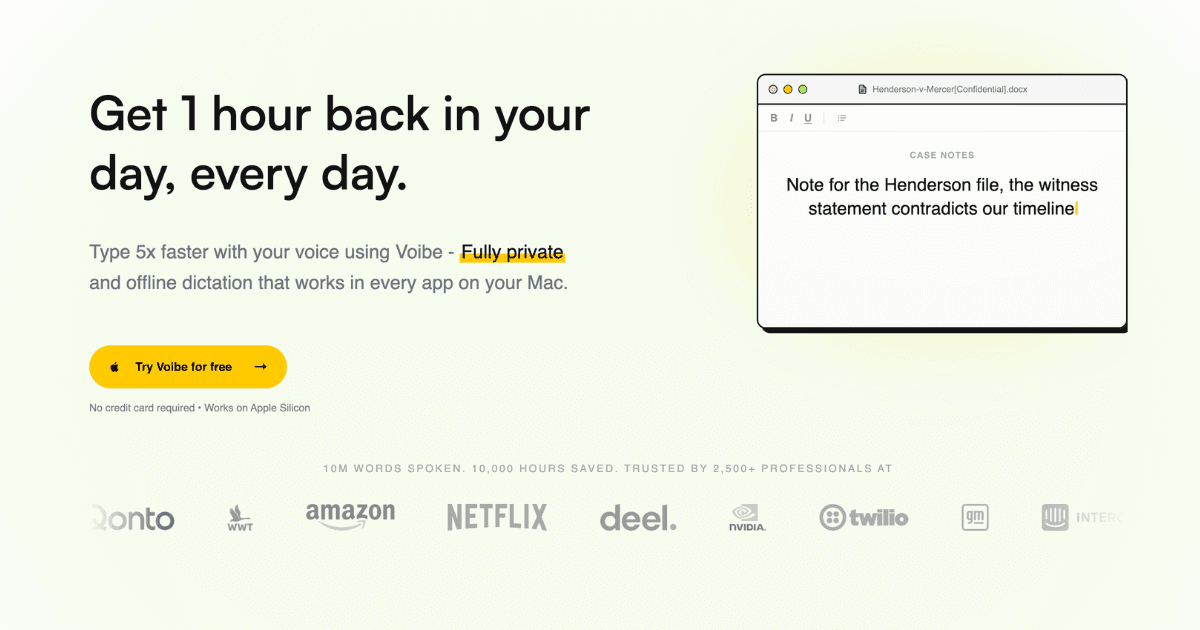
Voibe is the standout Wispr Flow alternative for 2026. Where Wispr Flow relies on cloud processing and consumes 800MB+ of RAM, Voibe processes everything locally on your Mac using optimized Whisper models and uses just ~150MB RAM. The push-to-talk approach (hold Fn, speak, release) is brilliantly simple and works in every Mac app — from Slack and Notion to Cursor and ChatGPT. Audio is discarded immediately after transcription with zero data collection, zero cloud uploads, and zero logging. For professionals handling sensitive client data in legal, healthcare, or finance, Voibe is the most privacy-respecting dictation tool available.
Key Features
- 100% Offline Processing: All speech-to-text runs locally on your Mac. No internet required, no audio ever leaves your device
- Sub-Second Startup: Ready to dictate instantly with zero warm-up time, unlike Wispr Flow's 8-10 second delays
- Ultra-Low Resource Usage: ~150MB RAM and minimal CPU impact — 90% less resource consumption than Wispr Flow
- Universal App Compatibility: Works system-wide in any app that accepts text input via a customizable push-to-talk hotkey
- Apple Silicon Optimization: Purpose-built for M1/M2/M3/M4 chips with GPU-accelerated transcription for maximum speed
Pricing
| Plan | Monthly | Annual (per month) |
|---|---|---|
| Free | Free | Free |
| Pro | $4.90 | $3.68/mo ($44.10/year) |
| Lifetime | $99 one-time | N/A |
Pros
- 90% less RAM than Wispr Flow (~150MB vs. 800MB+)
- Completely offline — audio never leaves your Mac
- Sub-second startup with zero warm-up time
- $99 lifetime license eliminates recurring costs
- Works in every Mac app via push-to-talk hotkey
Cons
- Mac-only (requires Apple Silicon M1+)
- No Windows or Linux support
- No AI-powered text reformatting (intentionally offline)
- Requires macOS 13 Ventura or later
Verdict: Voibe is the best Wispr Flow alternative for anyone who values privacy, speed, and low system impact. The lifetime license at $99 pays for itself in under 7 months vs. Wispr Flow's $15/month.
Visit VoibeSuperwhisper
Best for: Mac and iOS users who want context-aware dictation modes that adapt to different writing styles
Superwhisper is the closest competitor to Voibe in the offline dictation space. Its standout feature is context-aware modes that automatically adjust transcription style based on what you're writing — email mode adds appropriate greetings and sign-offs, code mode handles technical terminology, and document mode focuses on clean prose. Built for Apple Silicon with 100% local processing, Superwhisper supports 100+ languages and includes custom workflow automation for power users. The 4.9/5 Product Hunt rating speaks to its polish.
Key Features
- Context-Aware Modes: Automatically adapts dictation style for emails, code, documents, and casual messages
- 100% Offline Processing: All transcription runs locally on your Mac and iOS devices using Apple Silicon optimization
- Custom Workflow Automation: Create automated workflows that trigger actions based on dictation commands
- 100+ Language Support: Multilingual dictation powered by Whisper models optimized for Apple Silicon
- iOS App: Companion iPhone and iPad app for mobile dictation with the same offline processing
Pricing
| Plan | Monthly | Annual (per month) |
|---|---|---|
| Free Tier | Free (15 min) | N/A |
| Pro | $5.41 | ~$4.50/mo |
| Lifetime | $249.99 one-time | N/A |
Pros
- Context-aware modes are genuinely useful for different writing types
- iOS companion app for mobile dictation
- 4.9/5 Product Hunt rating with strong community
- Custom workflow automation for power users
Cons
- Higher RAM usage than Voibe
- Lifetime license is expensive at $249.99
- Context mode switching can be inconsistent
- Apple ecosystem only (no Windows/Linux)
Verdict: Superwhisper is the best choice if you want dictation that adapts to different writing contexts. The context-aware modes genuinely improve output quality for emails, code, and documents.
Visit SuperwhisperOtter.ai
Best for: Teams who need real-time meeting transcription with speaker identification and automatic summaries
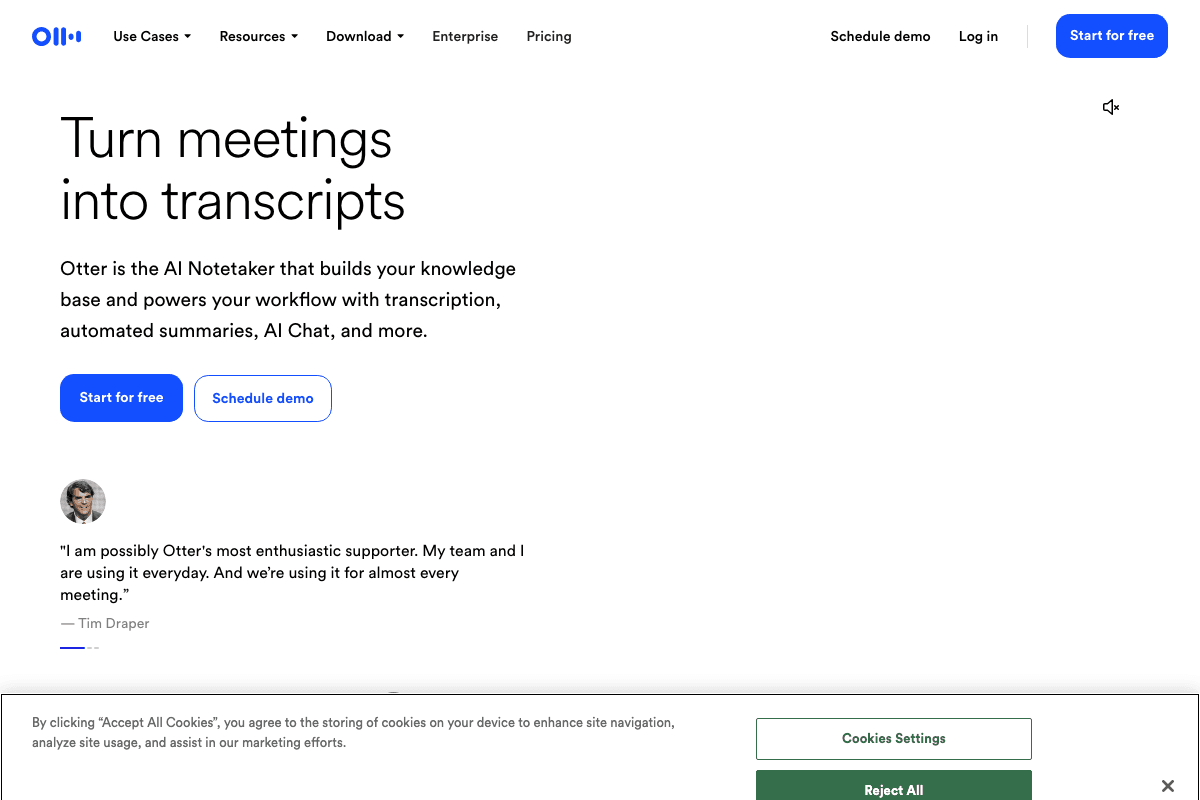
Otter.ai takes a different approach from the other tools on this list — it's built for meeting transcription rather than dictation-while-typing. If your main frustration with Wispr Flow is that you need better meeting notes, Otter.ai is the answer. The platform provides real-time transcription with automatic speaker identification, integrates directly with Zoom, Google Meet, and Microsoft Teams, and generates AI-powered meeting summaries. The free tier offers 300 minutes per month, making it accessible for individual users and small teams.
Key Features
- Real-Time Meeting Transcription: Live transcription during meetings with automatic speaker identification and labeling
- AI Meeting Summaries: Automatically generates meeting summaries, action items, and key decisions after each call
- Platform Integrations: Direct integration with Zoom, Google Meet, and Microsoft Teams for seamless recording
- Collaborative Editing: Team members can highlight, comment, and edit transcripts collaboratively
- Mobile Apps: iOS and Android apps for on-the-go transcription and meeting access
Pricing
| Plan | Monthly | Annual (per month) |
|---|---|---|
| Free | Free (300 min/mo) | N/A |
| Pro | $16.99 | $8.33/mo |
| Business | $30/user | $20/user/mo |
Pros
- Best meeting transcription with speaker identification
- Generous free tier (300 minutes/month)
- Deep integrations with Zoom, Meet, and Teams
- Cross-platform with iOS and Android apps
Cons
- Cloud-based processing — audio leaves your device
- Not designed for dictation-while-typing workflows
- Pro pricing is higher than dedicated dictation tools
- Privacy-sensitive users may prefer offline alternatives
Verdict: Otter.ai is the best alternative if your primary need is meeting transcription rather than real-time dictation. The speaker identification and automatic summaries are unmatched.
Visit Otter.aiVoiceInk
Best for: Open-source advocates and developers who want transparent, auditable, free dictation software
VoiceInk is the standout open-source dictation app for Mac. Licensed under GPL v3.0, the entire codebase is auditable on GitHub, meaning you can verify exactly what happens with your audio data (spoiler: nothing leaves your device). Despite being free, VoiceInk delivers polished system-wide dictation with 100+ language support, zero data collection, and solid performance on Apple Silicon. The 4.8/5 TenereTeam rating puts it among the best Whisper-based Mac apps regardless of price.
Key Features
- GPL v3.0 Open Source: Fully auditable codebase on GitHub — verify exactly how your audio is handled
- 100% Offline Processing: All transcription happens locally with zero data collection or cloud uploads
- System-Wide Compatibility: Works in any Mac application via global hotkey activation
- 100+ Languages: Multilingual support through locally-running Whisper models
- Zero Data Collection: No telemetry, no analytics, no usage tracking of any kind
Pricing
| Plan | Monthly | Annual (per month) |
|---|---|---|
| Open Source | Free | Free |
| Personal License | $39 one-time | N/A |
Pros
- Completely free under GPL v3.0 license
- Fully auditable open-source codebase
- 100% offline with zero data collection
- 4.8/5 rating — polished for a free tool
Cons
- Smaller development team than commercial alternatives
- Fewer convenience features than Voibe or Superwhisper
- Mac-only with no iOS companion app
- Updates may be less frequent than commercial tools
Verdict: VoiceInk is the best free dictation tool available. If you value open-source transparency and don't want to spend a cent, it delivers surprisingly polished offline dictation.
Visit VoiceInkMacWhisper
Best for: Users who need to transcribe audio and video files (podcasts, interviews, recordings) rather than live dictation
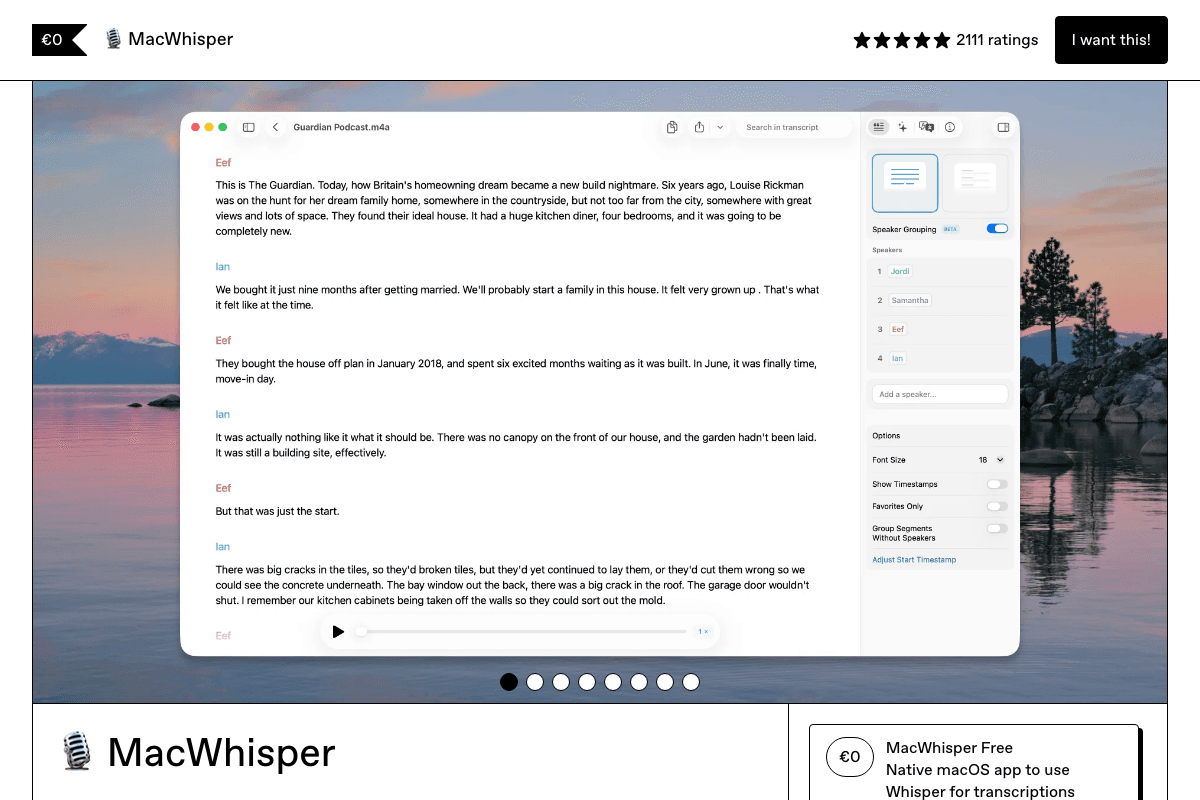
MacWhisper specializes in a different use case than live dictation: transcribing pre-recorded audio and video files. If you have podcast episodes, interview recordings, voice memos, or video files that need text transcripts, MacWhisper is purpose-built for the job. It supports MP3, WAV, M4A, MOV, and MP4 files, processes everything offline on Apple Silicon at roughly 15x real-time speed, and exports to SRT, VTT, and TXT formats. The free version handles basic transcription, while the $30 Pro upgrade adds batch processing and advanced models.
Key Features
- Audio & Video File Transcription: Transcribe MP3, WAV, M4A, MOV, MP4, and other common media formats entirely offline
- ~15x Real-Time Speed: Transcribes a 1-hour file in roughly 4 minutes on Apple Silicon hardware
- Multiple Export Formats: Export transcripts as SRT subtitles, VTT captions, or plain TXT files
- Batch Processing: Queue multiple files for transcription and process them sequentially (Pro)
- 100+ Language Models: Download specialized language models for improved accuracy in specific languages
Pricing
| Plan | Monthly | Annual (per month) |
|---|---|---|
| Free | Free | N/A |
| Pro | $30 one-time | N/A |
Pros
- Best file transcription tool for Mac at any price
- ~15x real-time transcription speed on Apple Silicon
- One-time $30 Pro price is outstanding value
- 4.9/5 Product Hunt rating
Cons
- Not designed for live dictation or system-wide typing
- Transcription happens in MacWhisper's own window, not in-app
- No push-to-talk or hotkey dictation
- Less useful if you primarily need real-time voice typing
Verdict: MacWhisper is the best tool for transcribing recorded files. If you need to convert podcasts, interviews, or meetings into text, the $30 Pro upgrade is a bargain.
Visit MacWhisperBetterDictation
Best for: Budget-conscious users who want a one-time payment for reliable offline dictation
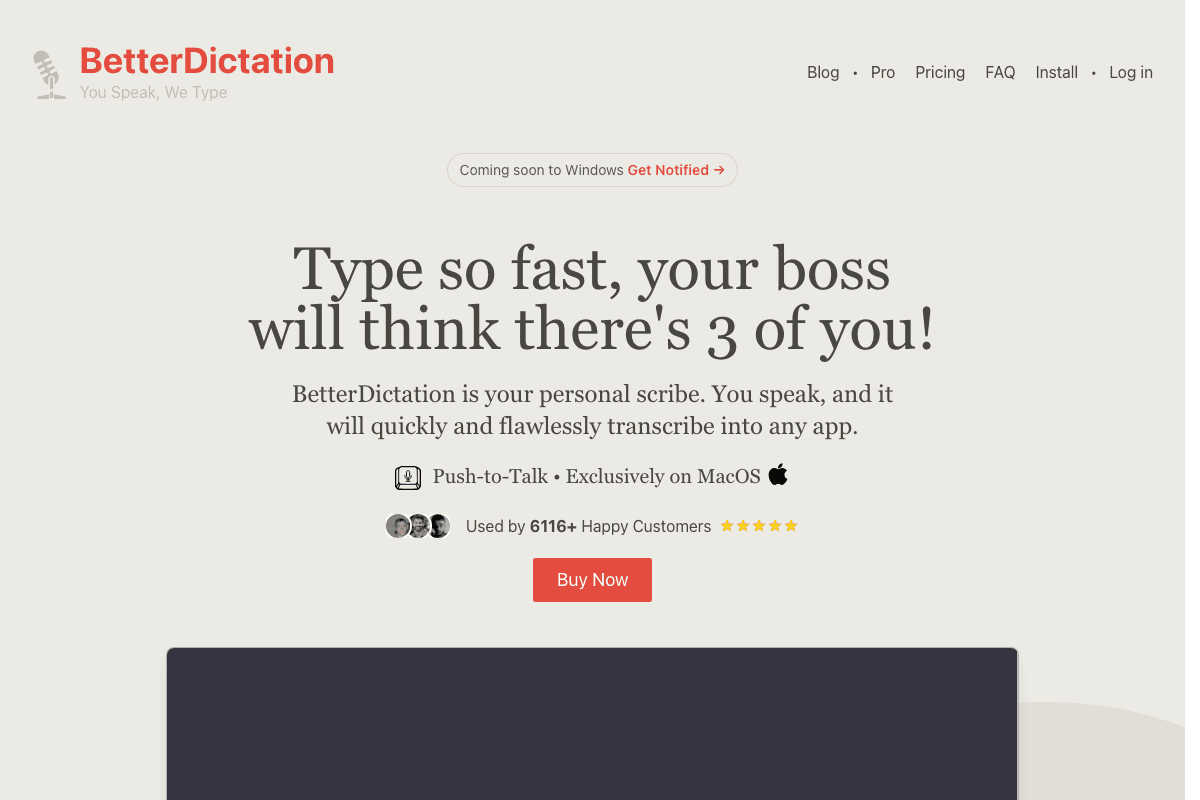
BetterDictation offers arguably the best value proposition for offline dictation: a $39 lifetime license for fully offline speech-to-text on Mac. The tool provides two tiers — a $39 offline-only version and a $2/month Pro version with cloud-enhanced accuracy. For most users, the offline tier delivers more than enough accuracy for daily dictation. BetterDictation supports 100+ languages, works system-wide via hotkey, and includes automatic punctuation and custom vocabulary for technical terms.
Key Features
- Two-Tier Architecture: Choose between $39 lifetime offline or $2/month cloud-enhanced processing
- 100+ Language Support: Multilingual dictation with automatic language detection
- Custom Vocabulary: Add technical terms, brand names, and specialized jargon for improved recognition
- Automatic Punctuation: Intelligently adds periods, commas, and question marks to your dictation
- Apple Silicon Required: Optimized exclusively for M-series chips for maximum transcription performance
Pricing
| Plan | Monthly | Annual (per month) |
|---|---|---|
| Offline | $39 one-time | N/A |
| Pro (Cloud) | $2 | N/A |
Pros
- $39 lifetime is exceptional value for offline dictation
- $2/month Pro tier is the cheapest cloud option available
- Custom vocabulary for technical terms and brand names
- Clean, simple interface with minimal learning curve
Cons
- Less polished interface than Voibe or Superwhisper
- Requires Apple Silicon (no Intel Mac support)
- Smaller community and fewer updates
- 4.3/5 rating is lower than top competitors
Verdict: BetterDictation is the best budget option for users who want a one-time payment and never think about dictation pricing again. The $39 lifetime offline tier is hard to beat.
Visit BetterDictationAqua Voice
Best for: Users who want a real-time visual text overlay while dictating, with cross-platform Mac and Windows support
Aqua Voice stands out with its real-time text overlay feature — as you speak, transcribed text appears in a floating overlay on your screen before being inserted into the active app. This visual feedback loop helps you catch and correct errors in real time. Aqua Voice also differentiates itself as one of the few quality dictation tools available on both Mac and Windows. With sub-50ms launch time, customizable hotkeys, and a built-in custom dictionary, it's a capable alternative for users who need cross-platform support.
Key Features
- Real-Time Text Overlays: See your transcribed text in a floating overlay as you speak, before it's inserted into the app
- Sub-50ms Launch Time: Near-instant activation when you press the hotkey — faster than any competitor
- Cross-Platform Support: Available on both Mac and Windows, unlike most alternatives on this list
- Custom Dictionary: Add custom words, names, and technical terms for improved recognition accuracy
- 49 Language Support: Multilingual dictation across 49 supported languages
Pricing
| Plan | Monthly | Annual (per month) |
|---|---|---|
| Free | Free (1,000 words) | N/A |
| Pro | $8 | $96/year ($8/mo) |
Pros
- Real-time text overlay is unique and genuinely useful
- Cross-platform Mac and Windows support
- Sub-50ms launch time is the fastest available
- 5.0/5 Product Hunt rating
Cons
- Cloud-based processing — audio is sent to servers
- No offline mode available
- 49 languages vs. 100+ for offline competitors
- More expensive than most offline alternatives at $8/month
Verdict: Aqua Voice is the best choice if you need cross-platform support or love the real-time text overlay feature. The cloud dependency is the main tradeoff vs. offline-first tools.
Visit Aqua VoiceDictanote
Best for: Users who want dictation without installing any desktop app — works entirely in Chrome
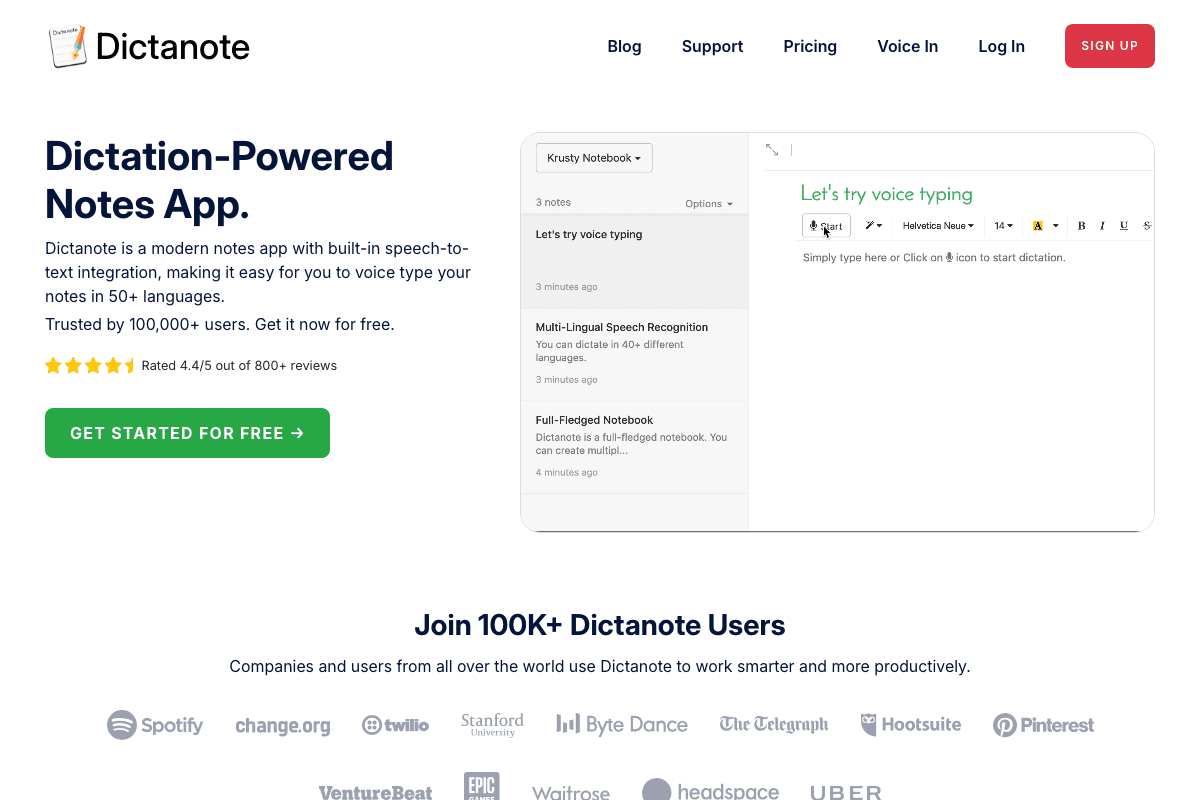
Dictanote takes a completely different approach: it runs entirely in your browser. There's no app to install, no system permissions to grant, and it works on any device with Chrome. The Chrome extension enables voice typing in any web page, while the main app provides a note-taking interface with hybrid voice/keyboard input. For users who work primarily in the browser (Google Docs, web-based tools, CMS platforms), Dictanote eliminates the friction of a desktop app entirely. The free tier provides basic dictation, and the $4/month premium unlocks advanced features.
Key Features
- Zero Installation Required: Works entirely in Chrome — no desktop app, no system permissions, no Apple Silicon requirement
- Chrome Extension: Dictate directly into any web page including Gmail, Google Docs, and CMS platforms
- Hybrid Voice/Keyboard Input: Seamlessly switch between voice and keyboard within the same document
- 50+ Language Support: Multilingual dictation with automatic language detection in the browser
- Voice Commands: Use voice commands for formatting, navigation, and text editing within documents
Pricing
| Plan | Monthly | Annual (per month) |
|---|---|---|
| Free | Free | N/A |
| Premium | $4 | N/A |
Pros
- No installation — works in any Chrome browser on any platform
- Free tier is functional for basic dictation needs
- Chrome extension works on any web page
- Cross-platform by nature (any device with Chrome)
Cons
- Requires Chrome browser and internet connection
- Lower accuracy than native offline tools
- Chrome extension can be inconsistent across web apps
- No desktop-level system integration
Verdict: Dictanote is the best option if you want dictation without installing anything. The browser-based approach works on any platform but trades off accuracy and reliability vs. native apps.
Visit DictanoteOpenWispr
Best for: Developers and tinkerers who want a free, customizable, cross-platform dictation tool
OpenWispr is a community-driven open-source dictation tool licensed under MIT that works across Mac, Windows, and Linux. It claims 3x faster typing than keyboard, includes smart text cleanup that removes filler words (um, uh, like), and offers flexible processing — use local Whisper models for privacy or connect to cloud APIs for enhanced accuracy. With 553+ GitHub stars and active development, OpenWispr is a solid free option for technical users who are comfortable with open-source software and occasional rough edges.
Key Features
- MIT Open-Source License: Free to use, modify, and distribute with the permissive MIT license
- Cross-Platform Support: Works on Mac, Windows, and Linux — the broadest platform support on this list
- Smart Text Cleanup: Automatically removes filler words (um, uh, like, you know) from transcriptions
- Flexible Processing: Choose between local Whisper models (privacy) or cloud API processing (accuracy)
- Customizable: Open-source codebase allows custom modifications, plugins, and integrations
Pricing
| Plan | Monthly | Annual (per month) |
|---|---|---|
| Open Source | Free | Free |
Pros
- Completely free with MIT license
- Only cross-platform option (Mac, Windows, Linux)
- Smart filler word removal is genuinely useful
- Active community development (553+ GitHub stars)
Cons
- Rougher user experience than commercial tools
- Setup requires more technical knowledge
- Less reliable than polished commercial alternatives
- Community support only — no dedicated customer service
Verdict: OpenWispr is the best free option for technical users on any platform. The cross-platform support and MIT license make it uniquely flexible, though the experience is rougher than commercial tools.
Visit OpenWisprPrivacy & Performance Comparison Matrix
This matrix compares the key privacy and performance features across the top 6 offline-capable Wispr Flow alternatives. Cloud-based tools (Otter.ai, Aqua Voice, Dictanote) are excluded as they operate on a fundamentally different model.
How to Choose the Right Wispr Flow Alternative
The best dictation tool depends on your primary use case, privacy requirements, and budget. Use this framework to narrow your options:
For Privacy-First Users
Choose Voibe for the best balance of privacy, performance, and polish. Every byte of audio stays on your Mac, startup is instant, and the $99 lifetime license eliminates recurring costs. If you want open-source transparency, VoiceInk lets you audit the code yourself.
For Meeting-Heavy Workflows
Choose Otter.ai for real-time meeting transcription with speaker identification and automatic summaries. If you also need dictation-while-typing, pair Otter with Voibe for the best of both worlds.
For Budget-Conscious Users
VoiceInk (free) and OpenWispr (free) cost nothing. BetterDictation ($39 lifetime) is the cheapest paid option that never recurs. Voibe ($99 lifetime) offers the most polish per dollar spent.
For Cross-Platform Needs
OpenWispr is the only tool supporting Mac, Windows, and Linux. Aqua Voice covers Mac and Windows. Dictanote works anywhere Chrome runs. If you're Mac-only, Voibe delivers the best native experience.
Pro Tip
Most tools on this list offer free tiers or trials. Start with Voibe's free plan to test offline dictation, then compare it against Superwhisper's 15-minute free tier to find the best fit for your workflow.
Frequently Asked Questions
Final Thoughts
The dictation tool landscape has evolved dramatically since Wispr Flow first launched. In 2026, you no longer need to choose between privacy and quality — offline tools like Voibe and Superwhisper deliver transcription accuracy that rivals or exceeds cloud-based alternatives, with zero privacy tradeoffs and a fraction of the resource usage.
For most users switching from Wispr Flow, Voibe is the clear winner. It solves every major pain point — resource usage, privacy, startup speed, and pricing — without compromising on accuracy. The $99 lifetime license means you'll never pay for dictation again.
For a current product-side comparison of the best Wispr Flow alternatives, including privacy controls, offline use, reliability, platform support, AI cleanup, and pricing, see Voibe’s updated guide.
If you're also looking for meeting notes without a bot in the call, see our guides on the best no-bot meeting notetakers and the best Granola AI alternatives. For other productivity tools, check out Best Dictation Apps for Vibe Coding, Best AI SEO Tools, Best LLM SEO Tools, and AI SEO: The Complete Guide.
Need help with SEO? PikaSEO offers free SEO tools including keyword research, SERP analysis, and content optimization to help you rank higher in both traditional and AI search.
About the Author

Co-Founder & SEO Execution
Co-founder of PikaSEO. 11 years in corporate tech, then bootstrapped entrepreneur. Leads SEO execution and content-led growth for SaaS companies.