6 Best No-Bot Meeting Notetakers in 2026: Tested & Ranked
The fastest-growing segment of meeting software is the one that finally ditches the robot in the room. No-bot notetakers capture your meeting from your own device, so no AI participant joins the call — a category Granola pioneered and that is now attracting serious competition. In August 2026, TechCrunch reported that dictation app Wispr Flow shipped its own Granola-style notetaker — a clear signal that bot-free capture is becoming the default expectation.
But “no bot” and “private” aren't the same thing. We tested the leading no-bot tools against the questions that actually matter for confidential work: how the meeting is captured, where your notes end up, and whether your data trains AI. Here are the 6 best no-bot meeting notetakers in 2026.
Key Takeaways
- Voibe Work is our #1 no-bot notetaker — the only one that also saves notes on your Mac, uses zero-retention models, and includes a full dictation app
- No-bot capture and privacy are not the same thing — Granola, Jamie, and Wispr Flow all skip the bot but still store your notes in their cloud
- Granola created the category but its privacy defaults (link-shareable notes, AI training on by default) raised real concerns in 2026
- The no-bot field is expanding fast — Wispr Flow shipped a notetaker in August 2026 and Fathom launched a bot-free beta
- For confidential or regulated work, look for no-bot capture plus on-device storage and zero retention — the combination only Voibe offers today
What Is a No-Bot Meeting Notetaker?
Traditional AI meeting notetakers — Otter, Fireflies, Fathom's classic mode, Read AI — join your call as a named AI participant that records and transcribes everything. That means a consent moment, an extra name in the participant list, and a recording sitting on a third party's servers.
A no-bot notetaker inverts the model. It captures audio from your own device — your Mac's system audio or a browser extension — so nothing extra joins the room. Clients, patients, and counterparties only ever see the human attendees, and the capture works in Zoom, Google Meet, Microsoft Teams, Webex, Slack huddles, and even in-person conversations.
No bot in the room
Capture happens from your device, so no one has to admit an AI notetaker and nothing extra appears in the participant list.
Works on every platform
Because it doesn't rely on a bot being allowed to join, no-bot capture works in Zoom, Meet, Teams, Webex, huddles, and in-person.
But privacy still varies
No-bot tools differ hugely in where they store notes. Some keep everything on your Mac; most still upload to a vendor cloud.
The confidential-work question
For legal, healthcare, and finance teams, the real question isn't just 'no bot?' — it's 'where do my notes live, and who trains on them?'
That last point is why our ranking rewards tools that go further than just skipping the bot. Granola popularized no-bot capture but keeps notes in its AWS cloud and — as The Verge reported in April 2026 — makes notes link-shareable and turns AI training on by default for non-enterprise accounts. Voibe, by contrast, saves notes on your Mac and never trains on your data. That distinction is the whole game for confidential work.
There's also an ownership angle worth flagging. Granola has never given users plain-text local files for their meetings — your notes stay encrypted on its servers, and early users who wanted their data in tools like Obsidian had to reverse-engineer Granola's API to pull it out. The company's official answer was a MCP connector that routes your notes through its cloud into AI apps — not local files you control. For anyone who wants their meeting data to actually live with them, a tool that writes notes to your own machine (Voibe) is the safer bet than one that keeps them behind a vendor's servers.
Quick Comparison Table
| Tool | Best For | Starting Price | Notes Stored | Dictation |
|---|---|---|---|---|
| Voibe | Best overall (notes + dictation) | $14/mo | On your Mac | Included |
| Granola | Most established | Free | Vendor cloud | No |
| Jamie | EU teams, multilingual | Free trial | Vendor cloud | No |
| Wispr Flow | Existing Wispr users | $15/mo | Vendor cloud | Included |
| Fathom | Free unlimited recordings | Free | Vendor cloud | No |
| Tactiq | Google Meet / browser | Free | Vendor cloud | No |
How We Tested These No-Bot Notetakers
We ran the same set of meetings through each tool over two weeks — a client intake call, a cross-functional project sync, and a mock confidential review — and scored each against five criteria:
Capture method
Is it genuinely bot-free? Does it work across Zoom, Meet, Teams, and in-person, or is it limited to a browser or platform?
Where notes are stored
Are transcripts and summaries kept on your device or in a vendor cloud? Who can access them?
AI training & retention
Does the tool train on your data? Is there zero retention, or do you depend on an opt-out?
Summary quality
How accurate and usable are the notes, summaries, and action items? Can you ask follow-up questions?
Value
Does the price match the features — and does a single plan cover both meeting notes and dictation?
We weighted storage and training policy highest, because that's what separates a no-bot tool you can trust with client data from one you can't. Every tool here is genuinely no-bot; the ranking is decided by what happens to your data after the meeting.
Pro Tip
Remember that 'no bot' is a capture method, not a privacy guarantee. Granola, Jamie, and Wispr Flow all skip the bot but still store notes in their own clouds. If confidentiality is the goal, filter first on where notes live and who trains on them.
Voibe
Best for: Professionals and teams who want no-bot meeting notes plus a full dictation app — with notes kept on their own machine
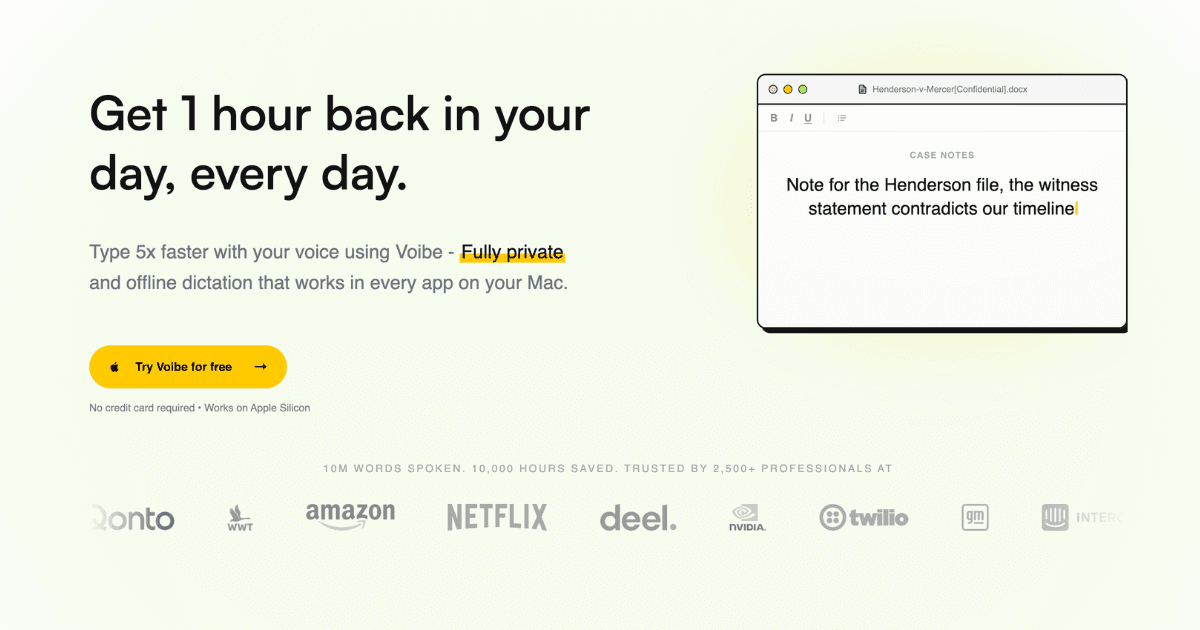
Voibe Work is the best no-bot meeting notetaker of 2026 because it solves the privacy problem the rest of the category still has. Like Granola, it captures from your Mac so no bot joins the call — in Zoom, Teams, Meet, Webex, or Slack huddles. But instead of uploading everything to a vendor cloud, Voibe writes your transcripts and summaries to your Mac, processes audio on open-source models through a zero-retention cloud (audio deleted the moment it's transcribed), and never trains on your data under any plan. On top of that, it's the only no-bot notetaker that includes a full dictation app for every app on Mac and Windows — so at the price of a no-bot meeting notetaker, you're also getting dictation. For legal, healthcare, and financial teams, that's the best deal in the market right now.
Key Features
- No bot joins the call: Voibe captures meeting audio from your Mac, so clients and patients see you — not a recording bot
- Notes saved on your Mac: Transcripts and summaries live on your device, with one-click copy and PDF export for the client file
- Zero Data Retention Cloud: Open-source models on zero-retention providers (Groq & Cerebras); audio deleted the moment processing completes
- Never trained on: Your meetings and dictation are never used to train AI models — not Voibe's, not anyone's
- Full dictation app included: Voibe Work bundles Voibe Dictation for every app on Mac and Windows — the only no-bot notetaker that does
- AI summaries + chat with meetings: Template-based summaries per meeting type, plus a Q&A that runs on the same zero-retention cloud
Pricing
| Plan | Monthly | Annual (per month) |
|---|---|---|
| Voibe Dictation | $9.90 | $7.50/mo |
| Voibe Work (dictation + notes) | $18.50 | $14/mo |
| Enterprise (10+ seats) | Custom | Custom |
Pros
- No-bot capture plus notes stored on your Mac
- Zero data retention and never trained on — on every plan
- Includes a full dictation app (Mac & Windows) at no extra cost
- BAA available on request for regulated teams
- 7-day free trial and 30-day money-back guarantee
Cons
- Meeting notes are Mac-only today (Windows coming soon)
- Younger brand than Granola
- No third-party CRM integrations yet
Verdict: Voibe Work is the no-bot notetaker to buy in 2026. It matches Granola's no-bot experience and beats it on privacy — notes on your Mac, zero retention, never trained on — while throwing in a full dictation app. For confidential work, it's the clear #1.
Visit VoibeGranola
Best for: Teams that want the most polished no-bot experience and don't mind cloud storage with an AI-training opt-out
Granola is the tool that defined the no-bot category, and it's still the most polished option if you want a proven, widely-adopted product. It captures from your computer's audio so no bot joins, works across Zoom, Meet, Teams, and in-person, and produces genuinely clean notes. It also layers on pre-meeting briefs, calendar sync, and an MCP connector that feeds your notes into Claude, ChatGPT, and Cursor. The reasons it isn't #1: your notes and transcripts are stored in Granola's AWS cloud, The Verge reported in April 2026 that notes are shareable by link by default with AI training on by default for non-enterprise users, and there's no dictation app included. Granola is great — it just isn't built for the confidentiality-first buyer the way Voibe is.
Key Features
- No-bot capture: Uses your computer's audio, so no AI participant joins the call — the feature that made Granola famous
- Pre-meeting briefs: Syncs with your calendar and preps a brief before every external meeting with context from past notes
- MCP connector: Feeds your meeting notes into Claude, ChatGPT, Cursor, and other AI apps via MCP
- Mobile & Apple Watch: Available on macOS, Windows, iOS, Android, and now Apple Watch for on-the-go capture
Pricing
| Plan | Monthly | Annual (per month) |
|---|---|---|
| Basic | Free | Free (30-day history) |
| Business | $14/user | $14/user/mo |
| Enterprise | $35/user | $35/user/mo |
Pros
- The most polished and widely adopted no-bot notetaker
- Pre-meeting briefs and calendar sync are genuinely useful
- MCP connector integrates notes with AI apps
- Broad platform support including mobile and Apple Watch
Cons
- Notes stored in Granola's AWS cloud, not on your device
- Notes shareable by link by default (per The Verge, April 2026)
- AI training on by default for non-enterprise accounts
- No dictation app included
Verdict: Granola is the safe, familiar no-bot choice — polished, well-funded, and proven. But its cloud storage, link-sharing defaults, and AI-training opt-out make it a weaker fit for confidential work than Voibe, and it lacks the dictation Voibe bundles in.
Visit GranolaJamie
Best for: European and multilingual teams that want a simple, GDPR-friendly no-bot notetaker
Jamie is the leading no-bot notetaker out of Europe. Like Granola and Voibe, it never joins your call — it captures from your device, so it works in Zoom, Meet, Teams, and in-person meetings. Its differentiators are multilingual support (15+ languages with auto-detection) and a strong focus on extracting action items and tasks from the conversation. Founded in Germany with EU data residency, it's a natural fit for GDPR-conscious teams. The tradeoffs are the same as Granola's: your notes live in Jamie's cloud rather than on your machine, and there's no dictation app in the deal.
Key Features
- No-bot capture: No bot joins your call; Jamie transcribes from your device across Zoom, Meet, Teams, and in-person
- 15+ languages: Auto-detects and transcribes in 15+ languages, making it strong for international teams
- Action item extraction: Surfaces tasks, owners, and decisions automatically and can push them to your task manager
- EU data residency: A GDPR-first, Germany-based product that resonates with European compliance teams
Pricing
| Plan | Monthly | Annual (per month) |
|---|---|---|
| Free trial | Free | Free |
| Paid plans | From ~€24 | ~€20/mo |
Pros
- No-bot capture with strong multilingual support
- GDPR-friendly with EU data residency
- Good action-item and task extraction
- Handles in-person as well as virtual meetings
Cons
- Notes stored in Jamie's cloud, not on your device
- No dictation app included
- Pricier than Voibe Work for a notes-only product
- Less transparent about AI training than zero-retention tools
Verdict: Jamie is the best no-bot pick for EU and multilingual teams. If you also want dictation or on-device notes, Voibe Work is the stronger all-in-one — but Jamie is a solid, privacy-aware choice on its own.
Visit JamieWispr Flow Notetaker
Best for: Current Wispr Flow dictation users who want no-bot meeting notes without adding a second subscription
Wispr Flow is primarily a $15/month AI dictation app, but in August 2026 it launched its own Granola-styled notetaker for Mac, as reported by TechCrunch. The notetaker uses system audio to transcribe meetings without joining one — the same no-bot approach — and adds cleaned-up transcripts, action items, and the ability to query across your meeting history. If you already pay for Wispr Flow, this is a convenient way to add meeting notes. The catch is that it's the reverse of Voibe's advantage: Wispr Flow started with cloud dictation and bolted on cloud meeting notes, with no on-device or zero-retention option. It's a capable no-bot tool, but not a confidentiality-first one.
Key Features
- No-bot capture: Uses system audio to transcribe meetings without a bot joining, mirroring Granola's approach
- Live transcript + catch-up: Shows a live transcript during the call and lets you ask the AI to catch you up
- Action items + history query: Generates action items and lets you query across your meeting history with AI
- Built on a dictation app: Pairs meeting notes with Wispr Flow's dictation engine, so you get both in one stack
Pricing
| Plan | Monthly | Annual (per month) |
|---|---|---|
| Wispr Flow (dictation) | $15 | $15/mo |
| Notetaker | Bundled (Mac) | Rolling out |
Pros
- Same no-bot approach as Granola
- One subscription covers dictation and meeting notes
- Live transcript and AI catch-up features
- Backed by a well-funded dictation company
Cons
- Notes and audio live in Wispr's cloud
- Notetaker is new and Mac-only so far
- No on-device or zero-retention option
- Cloud-based dictation is weaker for sensitive work
Verdict: Wispr Flow's notetaker is a smart add-on if you already use Wispr Flow for dictation. As a standalone no-bot notetaker for confidential work, though, it inherits the cloud-data concerns — without Voibe's on-device storage or zero-retention guarantees.
Visit Wispr Flow NotetakerFathom
Best for: Cost-conscious individuals and sales teams that want unlimited free recording with a bot-free capture option
Fathom earns its spot with the best free tier in the category and a newly launched bot-free capture option in beta for Mac. Historically Fathom joined calls as a bot (and it still offers that), but the bot-free beta means you can now get a no-bot experience without paying anything. Its free plan includes unlimited recordings, transcriptions, and instant AI summaries, while paid tiers add CRM field sync, advanced summaries, and coaching metrics — popular with sales teams. The caveat is the same one that applies to most of this list: your meeting data lives in Fathom's cloud, and there's no zero-retention or on-device mode.
Key Features
- Free unlimited recordings: Free plan includes unlimited recordings, transcriptions, and instant AI summaries
- Bot-free capture (beta): A bot-free capture option on Mac means you can skip the named AI participant entirely
- CRM sync: Automatically pushes summaries and action items into Salesforce and HubSpot records
- MCP + API: Public API and MCP let you build custom workflows on top of your meeting data
Pricing
| Plan | Monthly | Annual (per month) |
|---|---|---|
| Free | Free | Free |
| Premium | $20 | $16/mo |
| Team | $19/user | $15/user/mo |
Pros
- Best free tier in the category (unlimited recordings)
- Bot-free beta brings it into the no-bot conversation
- Strong CRM sync for sales teams
- MCP and API access for custom workflows
Cons
- Bot-free capture is still in beta and Mac-only
- Notes and recordings kept in Fathom's cloud
- No on-device or zero-retention option
- Advanced features gated behind paid tiers
Verdict: Fathom is the best free no-bot option — the unlimited free tier is hard to beat, and the bot-free beta is a promising step. For confidential work, though, Voibe's on-Mac storage and zero retention remain the stronger privacy pick.
Visit FathomTactiq
Best for: Google Meet and browser-heavy users who want no-bot capture without installing a desktop app
Tactiq takes a different route to the same no-bot result: a Chrome extension that captures the meeting from your browser, so no separate bot participant joins and there's nothing to install on your desktop. It's especially popular with Google Meet users and produces live transcripts, AI summaries, and action items. Because it captures from the browser rather than joining as a named bot, it qualifies as a no-bot option — though it's limited to browser-based meetings and doesn't handle in-person or desktop-app calls the way device-audio tools like Voibe and Granola do. Data is processed in Tactiq's cloud.
Key Features
- Browser extension capture: Captures meeting audio from Chrome — no separate bot participant joins the call
- Google Meet native: First-class Google Meet support with live transcript and one-click summaries
- Live transcript + AI summaries: Real-time transcription with automatic summaries and action items
- No desktop install: Works entirely in the browser, so there's nothing to install or update
Pricing
| Plan | Monthly | Annual (per month) |
|---|---|---|
| Free | Free | N/A |
| Pro | From ~$12 | From ~$8/mo |
Pros
- No bot joins and no desktop app required
- Excellent for Google Meet users
- Free tier available
- Simple to roll out across a team
Cons
- Browser-only — misses in-person and some desktop-app calls
- Cloud-processed with no on-device option
- Fewer advanced features than Otter or Fireflies
- No dictation app included
Verdict: Tactiq is the best no-bot pick for Google Meet and browser-heavy teams that want zero-install capture. It's narrower than device-audio tools, but it nails the browser meeting use case at a low price.
Visit TactiqPrivacy & Storage Matrix
The decisive comparison for no-bot tools: how each one captures your meeting and where your data ends up afterward.
| Tool | Capture | Notes stored | AI training | On-device option |
|---|---|---|---|---|
| Voibe | Device audio (no bot) | On your Mac | Never (zero retention) | Yes (dictation) |
| Granola | Device audio (no bot) | AWS cloud | On by default (opt-out) | No |
| Jamie | Device audio (no bot) | Vendor cloud | Not disclosed in detail | No |
| Wispr Flow | System audio (no bot) | Vendor cloud | Cloud-processed | No |
| Fathom | Bot-free beta (Mac) | Vendor cloud | Cloud-processed | No |
| Tactiq | Browser extension (no bot) | Vendor cloud | Cloud-processed | No |
How to Choose the Right No-Bot Notetaker
Use this framework to match a no-bot tool to your specific situation:
For Confidential or Regulated Work
Choose Voibe Work. It's the only no-bot tool that stores notes on your Mac, uses zero-retention open-source models, never trains on your data, and offers a BAA on request — and it bundles a full dictation app at $14/mo.
For a Proven, Polished Experience
Choose Granola if you want the most established no-bot product with pre-meeting briefs and an MCP connector — just be deliberate about the link-sharing and AI-training settings.
For a Free or Budget Pick
Choose Fathom for unlimited free recordings with a bot-free beta, or Tactiq for free browser-based capture on Google Meet.
For EU or Multilingual Teams
Choose Jamie for GDPR-friendly, EU-based capture with 15+ language support. If you want dictation included too, Voibe is the stronger all-in-one.
Pro Tip
Every tool on this list has a free tier or trial. Start with Voibe's 7-day no-card trial to feel the on-device difference, then test Granola's free plan side by side on a real client call before deciding.
Frequently Asked Questions
Final Thoughts
The no-bot meeting notetaker is the right idea for 2026 — meetings should feel human, and no one should have to explain an AI participant in a client call. But the category is still sorting itself out, and the real differentiator isn't whether a bot joins. It's whether your notes end up in a vendor's cloud, shareable by link, feeding an AI model — or on your own machine, deleted the moment they're processed.
That's why Voibe Work is our #1 no-bot notetaker for 2026. It matches Granola's no-bot experience and beats it on the parts that matter for confidential work: notes saved on your Mac, zero data retention, never trained on, and a full dictation app included. At the price of a no-bot meeting notetaker, you're also getting dictation — the unbeatable combination and, right now, the best deal in this market.
For a broader look at the alternatives, see our guide to the best Granola alternatives, or explore the best dictation apps and Wispr Flow alternatives. For the data on how people actually use voice and AI, read Voibe's State of AI Dictation report.
Need help with SEO? PikaSEO offers free SEO tools including keyword research, SERP analysis, and content optimization to help you rank higher in both traditional and AI search.
About the Author

Co-Founder & SEO Execution
Co-founder of PikaSEO. 11 years in corporate tech, then bootstrapped entrepreneur. Leads SEO execution and content-led growth for SaaS companies.