
9 Best Dictation Apps for Vibe Coding in 2026: Tested & Ranked
Vibe coding changed what developers spend their day typing. When Cursor, Claude Code, or Windsurf writes the syntax, your job becomes describing intent — and prompts are long. The keyboard is now the slowest part of the loop, and a dictation app is the cheapest fix available.
We tested the dictation and voice-input tools developers actually use with AI coding agents, judging them on the things that matter in an editor rather than in an inbox: whether spoken filenames and identifiers survive transcription, whether hands-free mode holds up across a two-minute spec, how much friction the custom dictionary removes, and what the whole thing costs once you have used it for three years.
Key Takeaways
- Voibe is the best dictation app for vibe coding: Developer Mode resolves spoken filenames and identifiers inside Cursor, VS Code, and Windsurf, with hands-free mode, spoken punctuation, a custom dictionary, and Memory shortcuts
- Voibe is also the only tool here with real one-time pricing — $149 lifetime versus $144/year for Wispr Flow or Willow Voice
- Speaking runs at 150–200 WPM against 40–60 WPM typing, so dictation is a 3–4x gain on prompt authoring — the part of the job agentic coding made bigger
- Aqua Voice's Avalon model is the accuracy standout for dense technical vocabulary; Superwhisper wins on custom modes and bring-your-own-model flexibility
- Talon Voice and Serenade are a different category — full hands-free editor control rather than dictation — and are the right answer for RSI or accessibility needs
- For proprietary codebases, prefer on-device processing: Voibe on Apple Silicon, VoiceInk under GPL v3, or Serenade's local mode
Why Vibe Coding Needs Dictation
The term "vibe coding" describes a workflow where you state what you want in natural language and an AI agent produces the code. The interesting consequence is not that you write less code — it is that you write far more prose. Specs, constraints, repro steps, follow-up corrections, review comments, commit messages. All of it typed, all of it in the critical path.
That is a bad match for a keyboard. Most developers type at 40–60 words per minute and speak comfortably at 150–200. On the part of the job that agentic coding made bigger, voice is a 3–4x throughput gain.
The second-order effect matters more than the raw speed. When describing an edge case costs you forty seconds of typing, you skip it and hope the agent infers it. When it costs five seconds of talking, you say it — and the agent's first attempt lands closer to correct. Fewer rounds of "no, not like that" is where the real time goes.
The catch is that generic dictation apps are tuned for email. They hear useEffect as "use effect", turn app/dashboard/page.tsx into "app dashboard page dot TSX", and auto-punctuate technical sentences into nonsense. The tools worth using for vibe coding are the ones that solved that.
What Actually Matters in a Coding Workflow
These are the six capabilities that separate a dictation app that works in an editor from one that merely works:
Code-Aware Transcription
Does it resolve spoken filenames, paths, and camelCase identifiers against your actual workspace, or does it hand you word salad you have to retype?
Hands-Free Mode
Agent prompts are long. Holding a hotkey for two minutes is miserable; a double-tap that keeps listening until you stop is not.
Spoken Punctuation
Prompts rely on structure — numbered constraints, colons before file lists. Auto-punctuation guesses wrong far more often on technical sentences than on prose.
Custom Dictionary
Your framework names, internal services, and acronyms are the main source of transcription errors. Ten minutes of dictionary setup removes most of them.
Privacy & Locality
You are dictating descriptions of unreleased work. On-device processing or a documented zero-retention policy is not paranoia, it is table stakes.
Total Cost
Most tools here are $144/year forever. A one-time license changes the arithmetic completely once you pass the first year.
Only one tool on this list ships all six, which is why the ranking below is not a close call at the top.
Quick Comparison Table
| Tool | Best For | Starting Price | One-Time Option | Platforms |
|---|---|---|---|---|
| Voibe | Best overall for vibe coding | $7.50/mo | $149 | Mac / Windows |
| Wispr Flow | Cross-platform teams | $12/mo annual | No | Mac / Win / iOS / Android |
| Aqua Voice | Technical transcription accuracy | $8/mo | No | Mac / iOS |
| Superwhisper | Custom modes & own models | $8.49/mo | No | Mac / Win / iOS |
| Talon Voice | Fully hands-free coding | Free | Free | Mac / Win / Linux |
| Willow Voice | Regulated environments | $12/mo annual | No | Mac / Win / iPhone |
| Serenade | Free voice-to-code | Free | Free | Mac / Win / Linux |
| VoiceInk | Open-source on-device | $29 once | $29–$69 | Mac |
| MacWhisper | Recordings into specs | Free / €59 | €59 | Mac |
How We Tested
Every tool was driven through the same four scenarios, dictated into a real project rather than a text editor:
The Agent Prompt
A 90-second spoken spec naming four files, two library APIs, and three constraints, dictated into a Cursor composer and a Claude Code terminal pane.
The Identifier Gauntlet
Fifty spoken technical terms — useEffect, tRPC, Zod, PostgREST, camelCase variable names, dotted file paths — scored on exact-match transcription.
Latency to First Character
Time from hotkey press to text appearing, measured on the same M-series Mac, because anything above a beat breaks the thinking-out-loud rhythm.
The Endurance Run
Continuous hands-free dictation across a full two-minute narration, checking for cutoffs, dropped tails, and whether the tool holds context.
Each tool was then used as a daily driver for a working week, because the failure modes that matter — the tail of a sentence going missing, a hotkey conflicting with an editor binding — do not show up in a benchmark. Pricing was verified against each vendor's published pricing page in August 2026.
Pro Tip
Before you judge any tool's accuracy, spend ten minutes on its custom dictionary. Load your framework names, your internal service names, and your repo names. Most transcription complaints developers have are proper nouns the model has simply never seen.
Voibe
Best for: Developers who prompt AI coding agents all day and want fast, private dictation that understands their codebase — without a recurring subscription
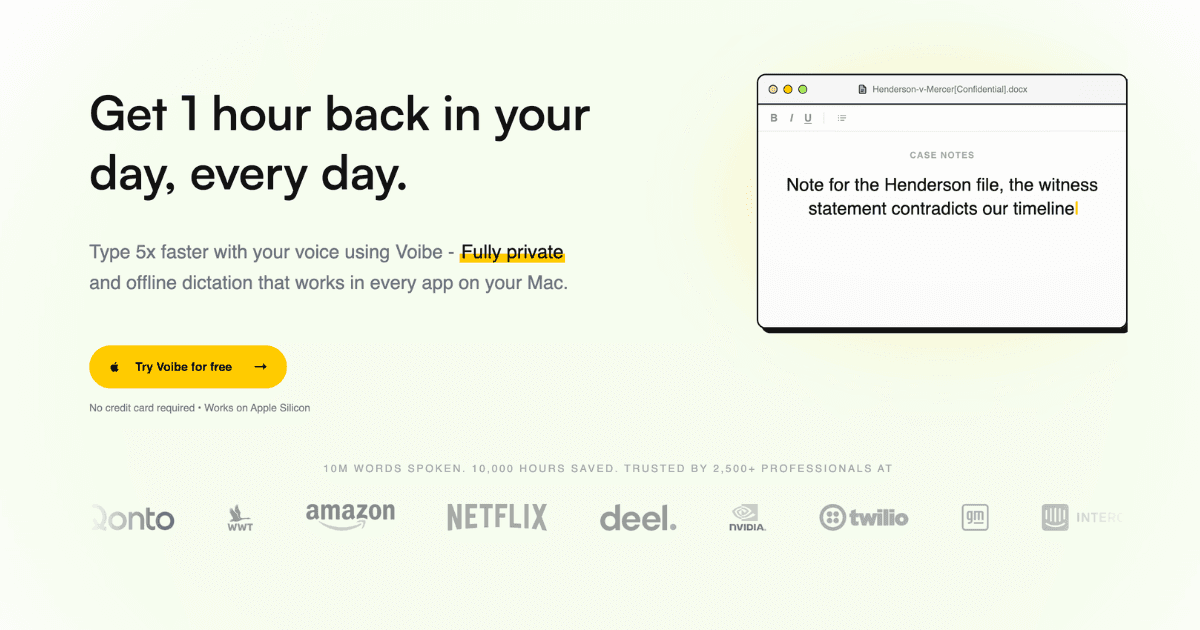
Voibe is the best dictation app for vibe coding in 2026, and the reason is Developer Mode. Most dictation tools treat your speech as generic prose, so 'update the use effect in dashboard slash page dot tsx' comes out as word salad. Voibe scans your workspace context locally and resolves spoken filenames, paths, and variable names against what is actually in your project, then types the result straight into Cursor, VS Code, or Windsurf. Around that sits the rest of the kit a prompt-heavy workflow needs: hands-free mode for the two-minute spec you narrate in one breath, spoken punctuation for structured prompts, a custom dictionary for your stack's jargon, and Memory shortcuts that expand a spoken trigger into a stored prompt template. It is genuinely fast — instant on-device transcription on Apple Silicon, and a cloud path running on Groq and Cerebras when you need it — and genuinely private, using open-source models with zero retention and audio deleted the instant it is transcribed. It is also the only tool on this list you can buy once: $149 lifetime, against $144/year for the subscription incumbents.
Key Features
- Developer Mode for AI IDEs: Scans your workspace locally and resolves spoken filenames, paths, and variable names inside Cursor, VS Code, and Windsurf — the difference between a usable prompt and a retype
- Hands-Free Mode: Double-tap the hotkey for continuous dictation instead of holding a key, with Live Dictation streaming on Mac so text appears as you speak — built for long agent prompts
- Spoken Punctuation: Say punctuation by name to get structured prompts — numbered constraints, colons before file lists — instead of trusting auto-punctuation to guess on technical sentences
- Custom Dictionary: Teach it your frameworks, internal service names, acronyms, and teammates' names so proper nouns stop being the main source of transcription errors
- Memory Shortcuts: Expand a spoken trigger into stored text — repo URLs, review checklists, reusable agent prompt scaffolds — so boilerplate prompting stops being retyped
- On-Device or Zero-Retention Cloud: Fully local transcription on Apple Silicon (M1+), or a zero-retention cloud on Groq and Cerebras using open-source models only — audio is never stored, sold, or used for training
- Mac and Windows, Everywhere: Works system-wide in every app — Cursor, Claude, terminal panes, Notion, Slack, GitHub — on macOS (Intel and Apple Silicon) and any modern Windows PC
Pricing
| Plan | Monthly | Annual (per month) |
|---|---|---|
| Monthly | $7.50 (reg. $9.90) | N/A |
| Annual | ~$4.92/mo | $59/year (reg. $89.10) |
| Lifetime | $149 one-time (reg. $198) | N/A |
Pros
- Developer Mode is the only workspace-aware dictation on this list — spoken identifiers and paths actually resolve
- One-time $149 lifetime license pays back against a $144/year subscription in ~10–12 months
- On-device mode on Apple Silicon means proprietary code context never leaves your machine
- Hands-free mode plus Live Dictation streaming is purpose-built for long agent prompts
- Spoken punctuation, custom dictionary, and Memory shortcuts all ship on every paid plan
- Cloud path runs on Groq and Cerebras — among the fastest inference available
- Cross-platform: macOS and Windows, works system-wide in every app
Cons
- On-device processing requires Apple Silicon (M1 or later); Windows is cloud-only
- No iOS or Android companion app
- No mobile dictation for prompting agents away from your desk
- Lifetime tier is a bigger up-front outlay than a monthly subscription
Verdict: Voibe is the dictation app to buy if you spend your day prompting AI coding agents. Developer Mode solves the problem every other tool ignores — that code-adjacent speech is not prose — and the $149 lifetime license means you stop renting the fix.
Visit VoibeWispr Flow
Best for: Developers who need the same dictation setup on Mac, Windows, and phone, and teams that require audited compliance certifications
Wispr Flow is the most widely deployed dictation app in this category and the one with the broadest device story: Mac, Windows, iPhone, and Android, with your vocabulary and snippets following you across all four. Its automatic cleanup is the best-tuned on the list for conversational speech — it strips filler words, fixes punctuation, and reformats mid-sentence corrections without being asked, which matters when you are thinking out loud at an agent rather than reading a script. It also ships the compliance paperwork enterprises ask for: SOC 2 Type II, HIPAA, and ISO 27001, with a Privacy Mode that stores nothing server-side. The tradeoffs are cost and locality. At $144/year it is the most expensive way to solve this problem over a two-year horizon, and everything is cloud-processed — there is no on-device path.
Key Features
- Four-Platform Coverage: Mac, Windows, iPhone, and Android with shared vocabulary and snippets — the broadest device support of any tool here
- Aggressive Auto-Cleanup: Removes filler words, fixes punctuation, and rewrites mid-sentence self-corrections automatically — well tuned for thinking out loud
- Personal Vocabulary Learning: Learns your recurring proper nouns and technical terms over time rather than requiring manual dictionary entry
- Text Snippet Expansion: Spoken triggers expand into stored blocks of text for repeated prompts and boilerplate
- Audited Compliance: SOC 2 Type II, HIPAA, and ISO 27001 certified, with a Privacy Mode that stores zero dictation server-side
Pricing
| Plan | Monthly | Annual (per month) |
|---|---|---|
| Free | Free (2,000 words/week) | N/A |
| Pro | $15/user | $12/user/mo ($144/year) |
| Enterprise | Custom | Custom |
Pros
- Widest platform coverage including iOS and Android
- Best-in-class automatic filler-word and self-correction cleanup
- SOC 2 Type II, HIPAA, and ISO 27001 for regulated environments
- Generous free tier at 2,000 words per week
Cons
- Cloud-only — no on-device processing option at any tier
- $144/year is the most expensive option here over a multi-year horizon
- Historically heavy resource usage compared to on-device competitors
- No workspace-aware code context like Voibe's Developer Mode
Verdict: Wispr Flow is the right pick if you need dictation on four platforms or your employer requires audited certifications. If neither applies, you are paying a premium for polish you can get cheaper elsewhere.
Visit Wispr FlowAqua Voice
Best for: Developers whose prompts are dense with library names, API surface, and domain jargon that general-purpose models mangle
Aqua Voice built its own transcription model, Avalon, and it shows on exactly the input that breaks general-purpose engines: strings of technical proper nouns. Where a Whisper-derived model hears 'PostgREST' as 'post rest' and 'Zod' as 'zode', Avalon holds up, and the Pro tier's 800-entry custom dictionary closes whatever gap remains for your internal naming. Aqua leans into the coding use case explicitly, citing Cursor, VS Code, and Windsurf as primary targets. The Max tier adds realtime mode and voice commands so you can say 'send it' rather than reaching for the keyboard to submit a prompt. The limits are platform and price: Mac and iOS only, no Windows or Linux, no offline mode, and realtime plus voice commands are gated behind a $24/month tier.
Key Features
- Avalon Transcription Model: Purpose-built model that handles coding terminology, variable names, and domain jargon better than general-purpose engines
- 800-Entry Custom Dictionary: The largest dictionary allowance here on the Pro tier — enough to cover an entire internal service catalog
- Custom Instructions: Tune output formatting and tone per your workflow rather than accepting a fixed cleanup style
- Realtime Mode & Voice Commands: Max tier streams text as you speak and accepts spoken commands like 'send it' to submit without touching the keyboard
- Privacy Mode: Optional mode where nothing is stored on Aqua's servers; Enterprise adds a formal zero-data-retention option
Pricing
| Plan | Monthly | Annual (per month) |
|---|---|---|
| Starter | Free (1,000 words) | N/A |
| Pro | $8 | N/A |
| Max | $24 | N/A |
| Team | $12/user | N/A |
Pros
- Avalon model is the accuracy leader on dense technical vocabulary
- 800 custom dictionary entries on Pro — the most generous allowance here
- Explicitly built and marketed for Cursor, VS Code, and Windsurf workflows
- Voice commands on Max remove the last keyboard reach from the prompt loop
Cons
- Mac and iOS only — no Windows or Linux support
- Cloud-only with no offline or on-device mode
- Realtime mode and voice commands cost $24/month
- Subscription-only with no lifetime option
Verdict: Aqua Voice is the accuracy pick. If your prompts are wall-to-wall library names and internal service names and you are on a Mac, Avalon plus an 800-entry dictionary is the most reliable transcription you can buy.
Visit Aqua VoiceSuperwhisper
Best for: Power users who want to shape dictation output per context and plug in their own LLM API keys for post-processing
Superwhisper's differentiator is that it does not stop at transcription. Its mode system lets you define what happens to the text after it is transcribed — a commit-message mode that enforces conventional commits, a code-review mode that stays terse, a spec mode that expands your bullet-point speech into structured prose. You can point those modes at your own API keys across GPT-5, Claude, Llama, Grok, and Gemini, or run everything against local models with no internet at all. Super Mode adds screen awareness so dictation adapts to what you are looking at. For a vibe coding workflow this is the most configurable option on the list, and the local-model support means you can keep it entirely offline. The cost is setup time: the modes are powerful precisely because you have to build them, and out of the box it is less immediately useful than Voibe or Wispr Flow.
Key Features
- Custom Mode Builder: Define per-context formatting rules and prompts — commit messages, code review, specs — so output arrives shaped, not raw
- Bring Your Own Model: Plug in custom API keys across GPT-5, Claude, Llama, Grok, and Gemini for post-transcription processing
- Full Offline Operation: Local model support optimized for Apple Silicon runs the entire pipeline without an internet connection
- Super Mode: Screen-aware AI adaptation adjusts dictation behavior based on the app and content in front of you
- Custom Vocabulary: Names, abbreviations, and specialized terms taught to the transcription layer for consistent recognition
Pricing
| Plan | Monthly | Annual (per month) |
|---|---|---|
| Free | Free | N/A |
| Pro | $8.49 | ~$84.90/year (2 months free) |
| Enterprise | Custom | Custom |
Pros
- Most configurable output pipeline of any tool here
- Bring-your-own-model support across every major LLM provider
- Genuine full-offline operation with local models on Apple Silicon
- Free tier is usable, and there is a 40% student discount
- Mac, Windows, and iOS coverage
Cons
- Requires meaningful setup before the mode system pays off
- No workspace-aware code context out of the box
- Local models need disk space and Apple Silicon to be fast
- Subscription-only with no lifetime license
Verdict: Superwhisper is for developers who will actually build the modes. If you want dictation output that arrives pre-shaped as a commit message or a spec — and you want to control which model does the shaping — nothing else here comes close.
Visit SuperwhisperTalon Voice
Best for: Developers coding through RSI or injury who need to drive the entire machine by voice, not just fill text fields
Talon is not a dictation app — it is a complete hands-free input system, and it belongs on this list because for some developers it is the only thing that works. Instead of typing what you say into the focused field, Talon gives you a command grammar for the whole computer: move the cursor with eye tracking, click with a mouth noise, navigate files, run editor commands, and yes, dictate prose when you want to. Everything is scriptable in Python, and the community has built extensive command sets for major editors and languages over years. It runs on macOS, Windows, and Linux, which makes it the only genuinely cross-platform option here. The learning curve is real — you are learning a language, not installing an app — and the payoff scales with how much you invest in it. Access is free, with early features and priority support available through Patreon.
Key Features
- Full Hands-Free Computer Control: Voice commands drive the entire OS — navigation, editor commands, window management — not just text entry
- Eye Tracking & Noise Clicks: Move the pointer with your eyes and click with a mouth noise, eliminating the mouse as well as the keyboard
- Fully Scriptable in Python: Every command is customizable; build your own grammars for your editor, your language, and your repo conventions
- Mature Community Command Sets: Years of community-built command sets covering major editors and programming languages, free to adopt or fork
- macOS, Windows, and Linux: The only tool on this list with first-class Linux support alongside Mac and Windows
Pricing
| Plan | Monthly | Annual (per month) |
|---|---|---|
| Free | Free | Free |
| Patreon Supporter | Optional (tiered) | N/A |
Pros
- The most complete accessibility solution for developers who cannot use a keyboard
- Only genuinely cross-platform option including Linux
- Infinitely customizable through Python scripting
- Free to use, with an active and knowledgeable community
Cons
- Steep learning curve — a command language, not a plug-and-play app
- Overkill if you just want faster prompt entry
- Configuration is a project in itself before it feels fast
- Documentation is community-driven and uneven
Verdict: Talon is the answer when hands-free is a requirement rather than a preference. For pure prompt-speed gains it is far more machinery than the job needs — pair a dictation app with it, or start with one of the tools above.
Visit Talon VoiceWillow Voice
Best for: Developers at companies with data-handling requirements who need enforced zero-retention and admin controls
Willow Voice occupies the same price band as Wispr Flow and competes on much the same ground — smart formatting, style matching, auto-learning dictionary, 100+ languages, Mac, Windows, and iPhone. Where it separates itself is the Business tier, which enforces privacy mode organization-wide rather than leaving it to each developer to enable, and pairs that with SOC 2 Type II, HIPAA, and admin controls. If you work somewhere that will not approve a dictation tool without a policy switch an administrator can set centrally, that distinction is the whole decision. Its Whisper Mode — recognizing quiet speech in shared offices — is a small feature that turns out to matter a lot in open-plan environments. The individual Pro tier at $15/month ($12 annual) is priced at parity with Wispr Flow without matching its four-platform reach.
Key Features
- Enforced Zero Retention: Business tier enforces privacy mode organization-wide rather than relying on per-user configuration
- Auto-Learning Dictionary: Picks up names and product terms from your usage automatically instead of requiring manual entry
- Style Matching: Learns your writing patterns and matches them, so dictated text reads like you wrote it
- Whisper Mode: Recognizes quiet speech, so you can dictate in a shared office without broadcasting your prompts
- Offline Dictation: Keeps working without a connection, alongside shortcuts that expand frequently used phrases
- SOC 2 Type II & HIPAA: Audited compliance with end-to-end encryption for regulated workplaces
Pricing
| Plan | Monthly | Annual (per month) |
|---|---|---|
| Basic | Free | N/A |
| Pro | $15 | $12/mo (20% off) |
| Business | $35/user | $28/user/mo |
| Enterprise | Custom | Custom |
Pros
- Enforced org-wide privacy mode is rare and genuinely useful for compliance sign-off
- Whisper Mode is a real advantage in open-plan offices
- Auto-learning dictionary reduces setup effort
- Mac, Windows, and iPhone coverage
Cons
- Priced at parity with Wispr Flow without matching its platform breadth
- No developer-specific or workspace-aware features
- Business tier at $35/user is expensive for small teams
- Subscription-only with no lifetime option
Verdict: Willow Voice wins on procurement, not on features. If your security team needs a centrally enforced zero-retention policy before they will approve a dictation tool, this is the shortest path to a yes.
Visit Willow VoiceSerenade
Best for: Developers who want to speak actual syntax into an editor, free and open source, with an option to run entirely locally
Serenade is the other true voice-to-code tool here alongside Talon, and it takes the opposite approach to setup: instead of a scriptable command framework you configure yourself, it ships a speech-to-code engine that already understands the syntax of Python, JavaScript, TypeScript, Java, C/C++, Dart, Bash, HTML, CSS, and Markdown. You say 'add function get user taking id' and it writes the declaration correctly indented. It plugs into VS Code, IntelliJ, PyCharm, WebStorm, Android Studio, Atom, and Jupyter, and works on web platforms like GitHub, GitLab, LeetCode, and Colab. It is fully open source and free, with a completely local mode so voice commands and source code stay on-device. The caveat is momentum: the project has been community-maintained since its fork, so development pace is slower than the commercial tools, and in an agentic workflow you spend far less time speaking syntax than describing intent.
Key Features
- Syntax-Aware Speech-to-Code: Understands language grammar — spoken intent becomes correctly structured, correctly indented code rather than transcribed text
- Broad IDE Integration: VS Code, IntelliJ, PyCharm, WebStorm, Android Studio, Atom, and Jupyter, plus GitHub, GitLab, LeetCode, and Colab in the browser
- 10+ Language Support: Python, JavaScript, TypeScript, Java, C/C++, Dart, Bash, HTML, CSS, Sass, and Markdown
- Fully Local Mode: Run entirely on-device so voice commands and source code never leave your machine
- Open Source & Free: No license cost, community-maintained, and customizable if you want to extend the grammar
Pricing
| Plan | Monthly | Annual (per month) |
|---|---|---|
| Open Source | Free | Free |
Pros
- Genuinely free and open source with no usage caps
- Deepest IDE integration list of any tool here
- Syntax-aware — writes structured code, not transcribed prose
- Local mode keeps source code entirely on-device
Cons
- Community-maintained since the fork, so development pace is slower
- Speaking syntax is less relevant when an agent writes the code
- Command grammar takes time to internalize
- Less polished than the commercial alternatives
Verdict: Serenade is the best free option for speaking code directly, and its local mode is a strong privacy story. In an agent-first workflow it is a complement to a dictation app, not a replacement for one.
Visit SerenadeVoiceInk
Best for: Mac developers who want auditable, fully local dictation and a lifetime license — or to build it free from source
VoiceInk is the open-source answer for developers who do not want to take a privacy claim on trust. It is GPL v3, the whole codebase is on GitHub, and it runs Whisper locally through whisper.cpp — you can read exactly what happens to your audio, and the answer is that it never leaves the Mac. That is a meaningful property when the thing you are dictating is a description of unreleased product work. It handles system-wide dictation well, supports 100+ languages, and collects no telemetry of any kind. Pricing moved to three lifetime tiers in August 2026 — Solo at $29 for one Mac, Personal at $49 for two, Extended at $69 for three — and you can always compile it yourself for free. What you give up relative to Voibe is the vibe-coding-specific layer: there is no workspace-aware Developer Mode, no Memory shortcuts, and no Windows build.
Key Features
- GPL v3 Open Source: Full codebase on GitHub — audit the audio handling yourself instead of trusting a privacy policy
- Local Whisper via whisper.cpp: Transcription runs entirely on-device with no internet requirement and no cloud round-trip
- Zero Telemetry: No analytics, no usage tracking, no data collection of any kind
- System-Wide Dictation: Works in any Mac app via global hotkey — editors, terminals, browsers, chat
- Lifetime Licensing: Three one-time tiers by Mac count, or build from source at no cost under the GPL
Pricing
| Plan | Monthly | Annual (per month) |
|---|---|---|
| Build from Source | Free | Free |
| Solo (1 Mac) | $29 one-time | N/A |
| Personal (2 Macs) | $49 one-time | N/A |
| Extended (3 Macs) | $69 one-time | N/A |
Pros
- Fully auditable open-source codebase under GPL v3
- 100% on-device — audio never leaves your Mac
- Cheapest lifetime licensing on this list, or free from source
- No telemetry or data collection whatsoever
Cons
- Mac-only, with no Windows or Linux build
- No workspace-aware code context or developer-specific features
- Smaller team means slower feature development than commercial tools
- Prices rose across all tiers in August 2026
Verdict: VoiceInk is the pick for developers who want provable privacy over convenience features. If auditability is the requirement and you are on a Mac, nothing else here matches it at $29 one-time.
Visit VoiceInkMacWhisper
Best for: Developers who record their thinking — voice memos, design calls, standups — and feed the transcripts to coding agents as context
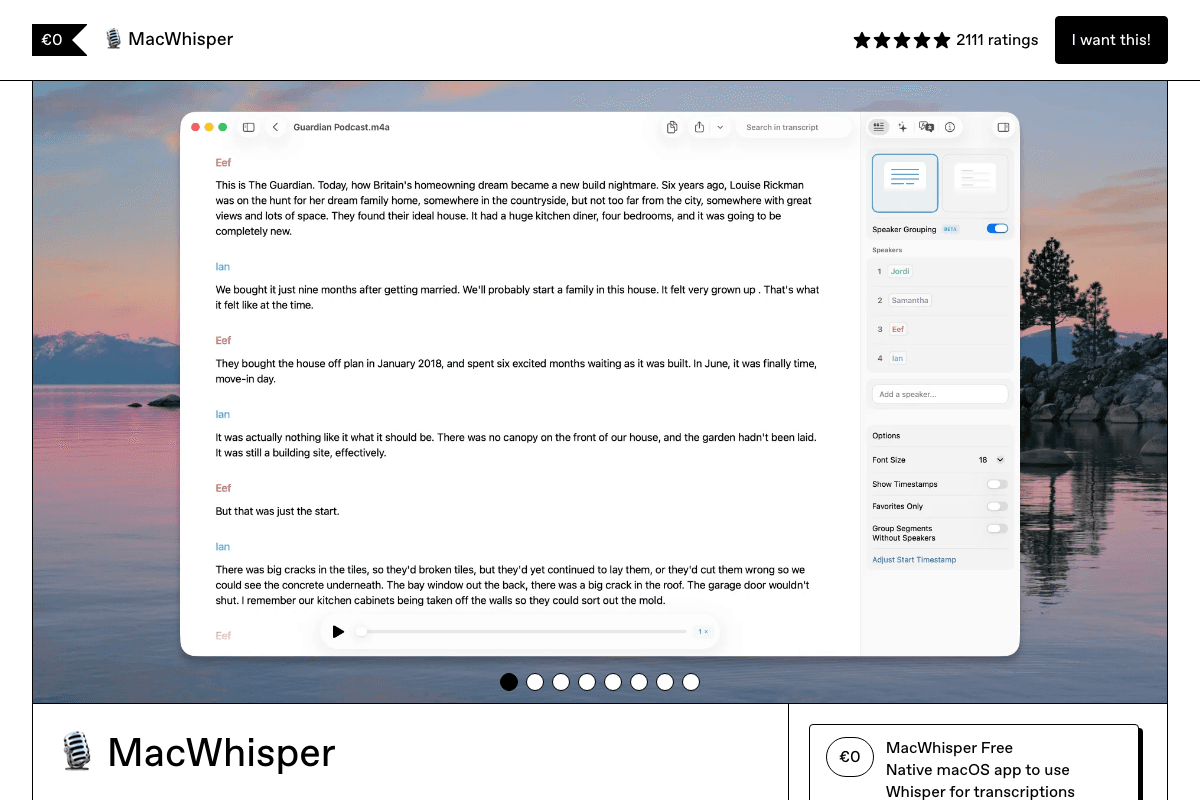
MacWhisper solves an adjacent problem that turns out to matter in agentic workflows: converting recorded audio into text you can paste into an agent. It is not a live dictation tool, so it will not type into your Cursor composer. What it does is take the voice memo you recorded on a walk, the design call you had this morning, or the Loom you were sent, and produce a clean transcript in about a fifteenth of real time on Apple Silicon — offline, with no upload. That transcript becomes the spec you hand to Claude Code. Speaker diarization and subtitle export make it useful for meetings too. Pro is €59 (roughly $69) one-time on Gumroad with a functional free tier; the Mac App Store build is sold separately as a subscription or IAP.
Key Features
- Fast Offline File Transcription: Roughly 15x real-time on Apple Silicon, entirely on-device — a one-hour recording becomes text in about four minutes
- Broad Format Support: MP3, WAV, M4A, MOV, and MP4 in, with SRT, VTT, and plain text out
- Speaker Diarization: Separates and labels speakers, so a design call transcript stays readable as a conversation
- Batch Processing: Queue multiple recordings and process them sequentially on the Pro tier
- One-Time Pro License: €59 lifetime on Gumroad with a genuinely usable free tier below it
Pricing
| Plan | Monthly | Annual (per month) |
|---|---|---|
| Free | Free | N/A |
| Pro (Gumroad) | €59 one-time (~$69) | N/A |
| Mac App Store | $6.99 | $29.99/year or $99.99 lifetime |
Pros
- Fastest offline file transcription available on Mac
- Speaker diarization makes meeting transcripts genuinely usable as agent context
- One-time Pro license with no subscription required on the Gumroad build
- Fully offline — recordings of internal discussions never upload
Cons
- Not a live dictation tool — it will not type into your editor
- Mac-only, Apple Silicon strongly preferred for speed
- Confusing dual pricing between the Gumroad and App Store builds
- Complements a dictation app rather than replacing one
Verdict: MacWhisper is the second tool in a voice-first setup, not the first. Pair it with Voibe: dictate your prompts live, and use MacWhisper to turn recorded thinking into the specs you feed your agent.
Visit MacWhisperFeature Comparison Matrix
This matrix covers the six general-purpose dictation apps against the capabilities that matter for prompting coding agents. Talon, Serenade, and MacWhisper are excluded because they solve adjacent problems — hands-free machine control, voice-to-syntax, and file transcription respectively — rather than competing on the same axis.
What It Costs Over Three Years
Dictation is a tool you use every working day for years, which makes the monthly sticker price the wrong thing to compare. Over three years, the subscription incumbents cost roughly three times what a one-time license does — and that is before any price increase.
Voibe's $149 lifetime license breaks even against a $144/year subscription in about twelve months and is pure savings after that. VoiceInk is cheaper still at $29 one-time if you can live without the developer-specific features and only need a Mac.
How to Choose
Four questions get you to an answer faster than a feature comparison:
Are you prompting AI agents all day?
Choose Voibe. Developer Mode is the only workspace-aware transcription here, so spoken filenames and identifiers land correctly in Cursor, VS Code, and Windsurf instead of needing a cleanup pass. Hands-free mode, spoken punctuation, dictionary, and Memory shortcuts all ship on the same plan, and the $149 lifetime license means it stops costing anything after year one.
Does your employer need to approve it?
Wispr Flow carries SOC 2 Type II, HIPAA, and ISO 27001, and Willow Voice can enforce zero retention across an organization from an admin console. If the requirement is that code context never leaves the machine at all, Voibe's on-device mode or VoiceInk's open-source local pipeline is the stronger answer than any certificate.
Is hands-free a requirement, not a preference?
Choose Talon Voice. If RSI or injury means you cannot use a keyboard at all, dictation into a text field is not enough — you need voice control of the whole machine, plus eye tracking and noise clicks. Serenade is the free complement for speaking actual syntax into VS Code or the JetBrains IDEs.
Do you want to stop paying rent on this?
Only three tools here sell a real one-time license. Voibe at $149 is the fully-featured option, VoiceInk at $29–$69 is the cheapest if you are Mac-only and fine without developer features, and MacWhisper at €59 covers recorded-file transcription rather than live dictation.
Pro Tip
Every paid tool here has a free tier or trial. Test with your real repo, not a demo — the difference between these apps only shows up when you dictate your own file paths and library names.
Setting Up for Voice-First Coding
Whichever tool you land on, the same four steps take it from novelty to daily driver:
- Pick a hotkey that does not collide. Cursor, VS Code, and your terminal multiplexer have already claimed most modifier combinations. A dedicated key like Fn, or a double-tapped modifier, avoids the fight entirely.
- Seed the dictionary before judging accuracy. Framework names, internal service names, repo names, teammates' names. This is the highest-leverage ten minutes you will spend, and it is why two tools with the same underlying model can feel completely different.
- Build two or three Memory shortcuts. Your standard bug-report scaffold, your code review preamble, your "write tests for this and run them" boilerplate. Spoken triggers that expand into stored prompts remove the most repetitive typing in the loop.
- Switch hands-free on for long prompts. Push-to-talk is right for a one-line correction; continuous mode is right for narrating a spec. Learning which is which takes about a day, and it is the difference between voice feeling fast and voice feeling fiddly.
One habit worth adopting: talk to the agent the way you would brief a competent colleague who has not seen the codebase. Voice naturally pushes you toward that register, which is a large part of why prompts dictated aloud tend to be better prompts than the terse ones people type.
Frequently Asked Questions
Final Thoughts
Dictation stopped being an accessibility accommodation and became a throughput tool the moment agents started writing the code. If your day is now mostly describing what you want, the keyboard is the slowest instrument on your desk — and it is a solved problem for about the price of a nice mechanical keyboard, once.
Voibe is the pick for most developers. Developer Mode is the only feature on this list that treats code-adjacent speech as its own problem rather than as prose, and everything around it — hands-free mode, spoken punctuation, the dictionary, Memory shortcuts — is aimed at the same workflow. It is fast, it processes on-device on Apple Silicon, and the $149 lifetime license means you pay once instead of $144 every year. If you want maximum transcription accuracy on Mac and do not mind a subscription, Aqua Voice's Avalon model is the alternative worth trying. If you need voice control of the entire machine rather than faster typing, Talon is a different and better answer.
For more on the tools around this workflow, see our guides to the best Wispr Flow alternatives, the best AI SEO tools, and the best automation tools.
Shipping fast with AI? PikaSEO offers free SEO tools for keyword research, SERP analysis, and content optimization — so the products you vibe code actually get found in both traditional and AI search.
Related Articles
Best Wispr Flow Alternatives
The same dictation market judged on privacy, resource usage, and price rather than coding workflow
Best No-Code Website Builders
When you want to ship a site without prompting an agent to build it
Best Automation Tools
AI agents and workflow platforms for the work that happens after the code ships
Best AI SEO Tools
Get the product you just vibe coded found in Google and AI answers
About the Author

Co-Founder & SEO Execution
Co-founder of PikaSEO. 11 years in corporate tech, then bootstrapped entrepreneur. Leads SEO execution and content-led growth for SaaS companies.