
A social media scheduler used to be a convenience: queue a week of posts and stop logging into five apps. In 2026, it is distribution infrastructure. Organic search produces the canonical asset; social turns that asset into multiple native formats, puts the brand in more relevant conversations, and creates more opportunities for people to search, link, quote, visit, and remember it.
That matters because search is no longer contained inside a Google results page. Buyers ask questions on LinkedIn, Reddit, YouTube, TikTok, Perplexity, ChatGPT, and Google's AI experiences. A useful article that stays on its own URL asks the crawler—and the audience—to do all the distribution work. A useful article translated into a thread, carousel, short video, founder post, and community answer can meet demand in several formats while pointing back to the same source.
This guide ranks the 10 schedulers that make that system practical. We favor platform-specific editing, modern network coverage, evergreen queues, attribution, analytics, approvals, and automation—not the tool with the longest generic feature checklist.
Best Social Media Scheduling Tools: Quick Comparison
Starting prices use annual billing where available. The billing unit matters: a $5 channel is not equivalent to a $33 workspace or a $79 seat.
| Rank | Tool | Best for | Starts at | Free option |
|---|---|---|---|---|
| #1 | Buffer | Overall for SEO Content Distribution | $5/channel/mo | Free plan: 3 channels |
| #2 | Metricool | Scheduling + Analytics Value | From €16/mo | Free plan: 1 brand |
| #3 | SocialBee | for Evergreen Content Recycling | $24/mo annually | 14-day free trial |
| #4 | Publer | Budget Cross-Posting Tool | $5/mo | Free plan: 3 accounts |
| #5 | Later | for Visual-First Brands | $18.75/mo annually | 14-day free trial |
| #6 | SocialPilot | Value for Multi-Account Teams | $17/mo annually | 14-day free trial |
| #7 | Planable | Content Approval Workflow | $33/workspace/mo annually | First 50 posts free |
| #8 | Agorapulse | for Inbox and Social ROI | $79/user/mo annually | Free plan + 30-day trial |
| #9 | Hootsuite | Mature All-in-One Suite | $99/user/mo annually | 14-day free trial |
| #10 | Sprout Social | Enterprise Social Intelligence | $79/seat/mo annually | 30-day free trial |
How We Ranked the Best Social Media Schedulers
We compared current feature documentation and official pricing pages, then weighted the criteria for an SEO-led content operation. This is an editorial ranking, not a claim that every tool was run through an identical laboratory test. No vendor paid for placement, and starting price accounts for only one part of value.
Platform coverage and fidelity
Can it publish to the networks that matter—and preserve native formats, tags, media, first comments, and network-specific copy?
Repurposing workflow
We rewarded per-channel editing, bulk import, content libraries, queues, variations, and sensible evergreen recycling.
Measurement
UTM control, post analytics, cross-channel reporting, competitor tracking, and export matter more than a vanity dashboard.
Editorial control
Approvals, roles, version context, auditability, and client review protect factual accuracy when distribution scales.
Useful AI and automation
AI should adapt and accelerate approved source material. APIs, Zapier/Make, and MCP connections make the scheduler part of a larger workflow.
Real total cost
We compared free access and the underlying unit—channel, account, user, seat, brand, or workspace—not just the smallest advertised number.
Social Media Scheduling Tool Pricing Compared
Budget tools begin at $5, but the cheapest headline is rarely the cheapest deployment. Model the exact accounts, users, workspaces, posting limits, analytics history, and add-ons you need. A five-channel Buffer Essentials setup is $25 monthly on annual billing; a one-account Publer plan is $5. Those are different products at different scales.
Metricool's euro price is shown at an approximate chart position only. Vendor currency, taxes, discounts, and packaging can change.
Buffer
Platform coverage: Facebook, Instagram, LinkedIn, TikTok, YouTube, X, Threads, Bluesky, Pinterest, Mastodon, Google Business Profile
Buffer is our best overall social media scheduler for SEO-led teams because it removes more operational friction than it adds. One article can become a LinkedIn post, an X thread, a short-form video caption, a Google Business Profile update, and a Bluesky post without forcing a small team into an enterprise suite. Its Ideas area works as a lightweight repurposing backlog, the calendar stays understandable, and the AI Assistant can rewrite a source idea for each network. Buffer now supports 11 channel types, including newer discovery surfaces such as Threads and Bluesky. The limitation is economic rather than functional: because paid plans charge per channel, a large portfolio becomes expensive even with volume discounts.
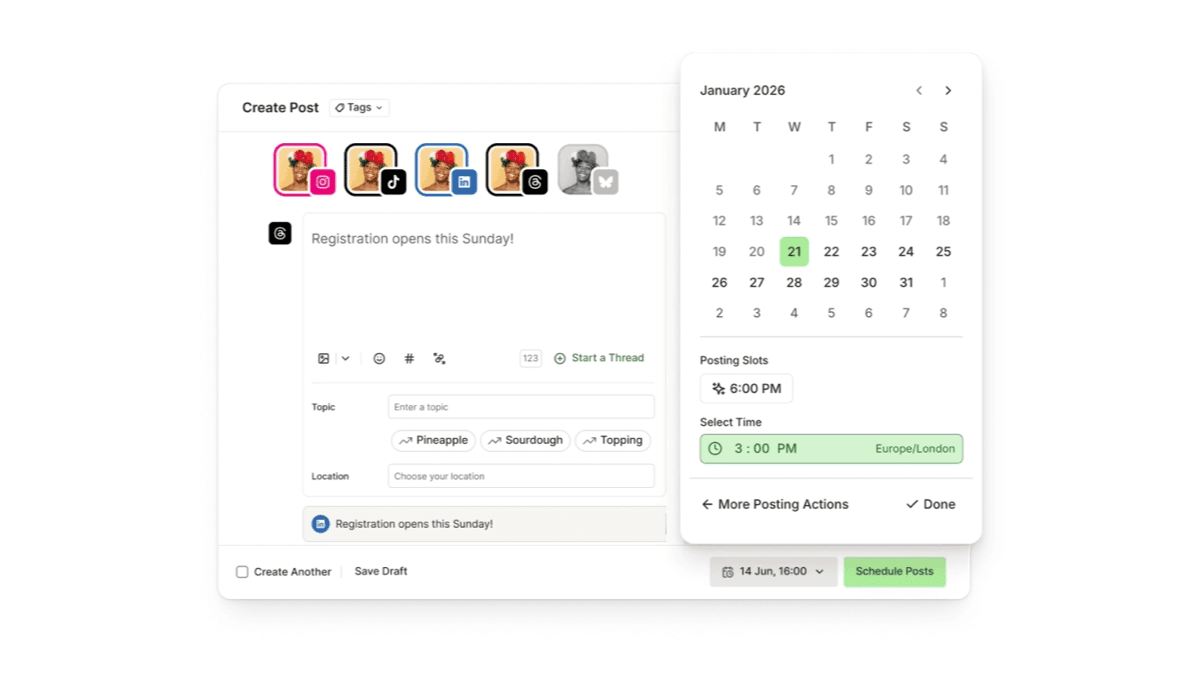
Why it fits an SEO-to-AEO workflow
Fast multi-network repurposing with custom UTM parameters and an accessible API
Key features
Per-channel composer
Start with one source idea, then customize copy and media for every selected network before scheduling.
Ideas and AI Assistant
Store article excerpts, generate variants, shorten copy, and change tone without leaving the publishing workflow.
UTM campaign tracking
Paid plans can append custom UTM parameters so social-assisted sessions and conversions remain measurable.
Broad modern network support
Direct publishing includes LinkedIn, YouTube Shorts, Threads, Bluesky, TikTok, Google Business Profile, and the major legacy networks.
API and integrations
API access is included even on the free tier, which makes Buffer easy to connect to an SEO content pipeline.
Pricing
| Plan | Price | What to know |
|---|---|---|
| Free | $0 | 3 channels, 10 queued posts per channel, 1 user |
| Essentials | $5/channel/mo annually | $6 monthly; unlimited scheduled posts and advanced analytics |
| Team | $10/channel/mo annually | $12 monthly; unlimited users and approval workflows |
Pros
- Fastest learning curve in this list
- Useful free plan for a three-channel distribution test
- Supports both established and emerging public networks
- Transparent pricing and API access
Cons
- Per-channel pricing adds up across brands
- Listening and enterprise governance are limited
- Analytics are practical, not research-grade
Verdict: Choose Buffer when publishing consistency is the bottleneck. It is the cleanest way for a lean SEO team to build a repeatable article-to-social distribution habit.
Check pricingMetricool
Platform coverage: Major social networks plus websites and ad platforms; LinkedIn requires a paid plan
Metricool is the best value when distribution and measurement have to live together. Its planner covers the core social networks, while analytics, competitor tracking, campaign dashboards, SmartLinks, and downloadable reports connect publishing activity to outcomes. For AEO work, that matters: the goal is not to maximize the number of scheduled posts but to learn which topics create branded discovery, engagement, referral traffic, and repeat mentions. Metricool also exposes an MCP connector and, on higher plans, API access through integrations including Zapier and Make. The free plan is useful for testing but excludes LinkedIn and X, so most B2B teams need Starter immediately.
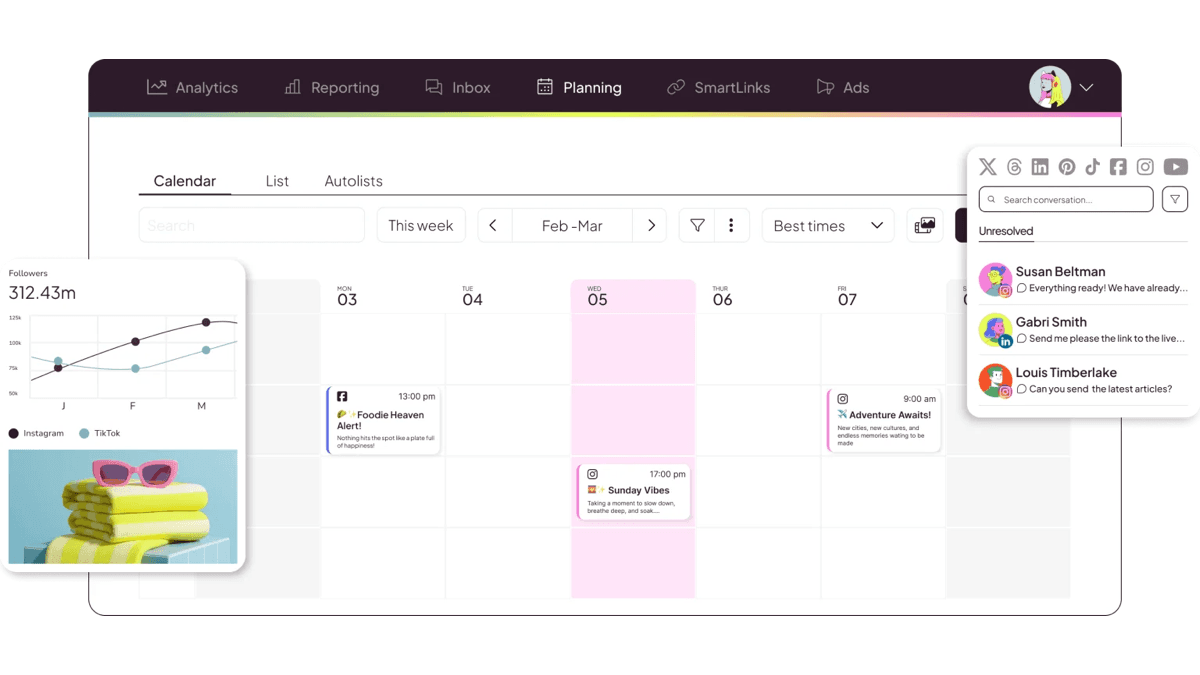
Why it fits an SEO-to-AEO workflow
Shows which platforms and post formats actually amplify each SEO topic
Key features
Planner and auto-publishing
Build a cross-network calendar, preview posts, and publish automatically where platform APIs allow.
Cross-channel analytics
Compare content performance across networks instead of judging each channel in a separate native dashboard.
Competitor tracking
The free plan analyzes five competitor profiles; Starter expands the allowance substantially.
Reports and dashboards
Paid tiers add PDF/PPT reports, longer history, ad dashboards, and advanced analytics options.
Automation connections
MCP, Zapier, Make, Canva, Google Drive, and higher-tier API access fit automated content operations.
Pricing
| Plan | Price | What to know |
|---|---|---|
| Free | €0 | 1 brand, 20 scheduled posts monthly; excludes LinkedIn and X |
| Starter | From €16/mo annually | Up to 5 brands at entry level, unlimited publishing, LinkedIn connection |
| Advanced | From €43/mo annually | Team roles, approvals, customizable reports, API access |
Pros
- Excellent analytics-to-price ratio
- Competitor analysis is built into the workflow
- Useful reporting for clients and stakeholders
- Strong automation and AI-assistant direction
Cons
- Free plan omits LinkedIn and X
- Add-ons can complicate the final bill
- The interface is denser than Buffer
Verdict: Choose Metricool when you want to prove which social distribution channels support your content strategy, not merely keep a posting queue full.
Check pricingSocialBee
Platform coverage: 10 direct networks, including Threads, Bluesky, YouTube, TikTok, LinkedIn, and Google Business Profile
SocialBee is the best scheduler for teams sitting on years of under-distributed SEO content. Its defining idea is the content category: tutorials, original research, product education, customer proof, and opinion can each have a queue and posting cadence. Evergreen posts can recycle, time-sensitive posts can expire, and variations prevent the feed from repeating the exact same copy. That is a strong fit for AEO because durable, specific brand expertise benefits from repeated exposure across relevant public surfaces. SocialBee also combines AI strategy generation, caption and image assistance, approvals, analytics, and broad direct posting. It is more structured than Buffer, which is an advantage once a content library grows and overhead when it is still small.
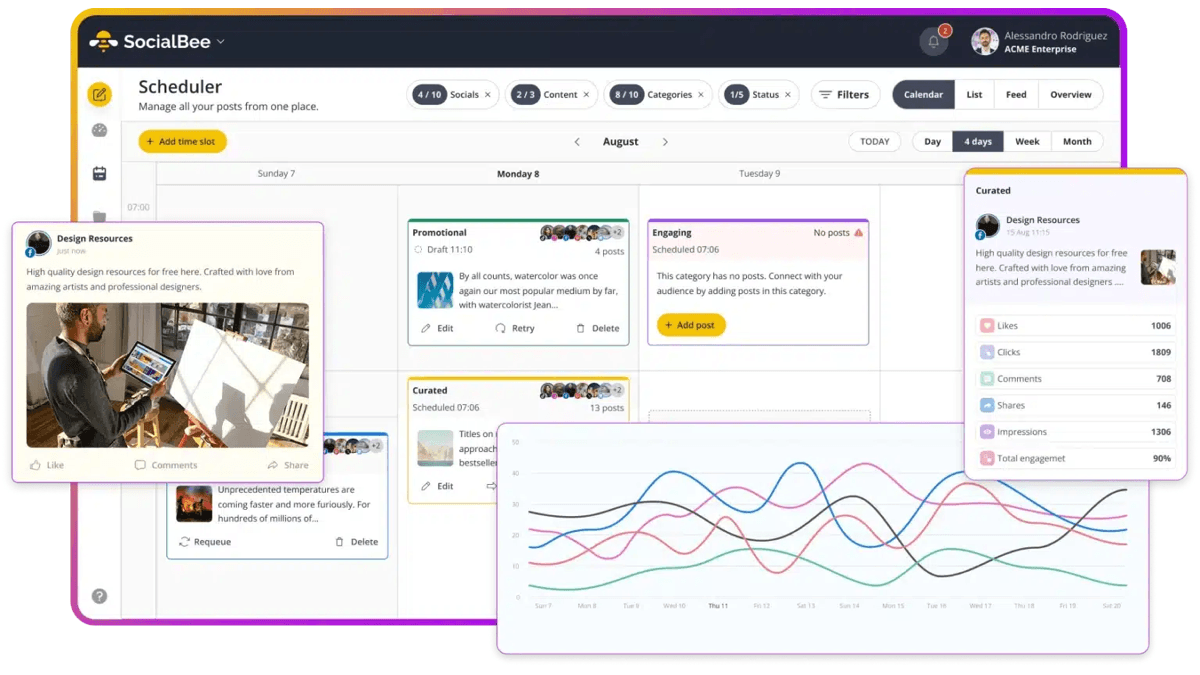
Why it fits an SEO-to-AEO workflow
Category queues keep durable expertise and entity-rich content in circulation
Key features
Category-based queues
Balance educational, commercial, proof, and community content with a schedule for each category.
Evergreen recycling
Reuse durable posts automatically while expiring announcements and date-sensitive campaigns.
Post variations
Rotate different hooks and captions for the same source asset instead of publishing obvious duplicates.
AI Copilot
Generate a starting social strategy plus platform-specific post ideas and copy.
Universal posting
The mobile workflow can remind you to publish on networks without direct API support.
Pricing
| Plan | Price | What to know |
|---|---|---|
| Bootstrap | $24/mo annually | $29 monthly; 5 profiles, 1 workspace, 1 user |
| Accelerate | $41/mo annually | $49 monthly; 10 profiles, 1 workspace, 1 user |
| Pro | $82.50/mo annually | $99 monthly; 25 profiles, 5 users, 5 workspaces |
Pros
- Best content-recycling model in the group
- Broad network support
- Unlimited AI content generation on core plans
- Strong fit for mature content libraries
Cons
- No permanent free plan
- Setup requires more taxonomy work
- Not as strong as enterprise suites for listening
Verdict: Choose SocialBee when your highest-return move is redistributing an existing library, not creating more net-new content.
Check pricingPubler
Platform coverage: Major networks including Facebook, Instagram, LinkedIn, TikTok, YouTube, Pinterest, Threads, Bluesky, and Google Business Profile
Publer is the budget pick for marketers who want more than a toy free tier without committing to a large fixed plan. Professional starts at $5 monthly for one social account and scales by connected account; Business adds deeper analytics, AI, recycling, and other growth features from $10. The composer can customize content by network, schedule in bulk, recycle evergreen posts, and organize assets. Publer is particularly useful for validating the premise of this article: choose three to five networks, publish adapted versions of the same SEO asset for 90 days, and measure where the brand earns response. The modular pricing is flexible, but the cheap headline becomes less impressive after adding many accounts and collaborators.
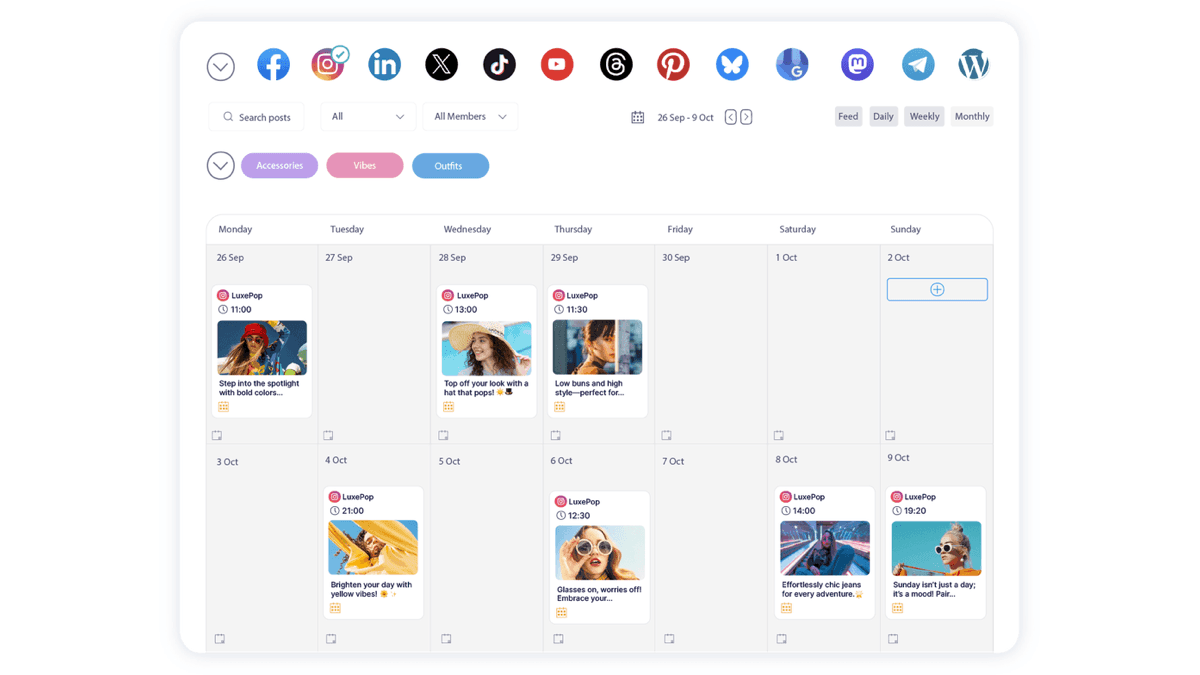
Why it fits an SEO-to-AEO workflow
Low-cost bulk scheduling makes a many-surface distribution experiment practical
Key features
Bulk scheduling
Import and organize batches of posts rather than recreating a distribution plan one item at a time.
Network-specific customization
Adjust text, media, and timing for each destination while working from one source post.
Evergreen recycling
Keep durable educational posts active and set recurring schedules for proven content.
AI assistance
Generate and refine captions and visual ideas inside the publishing workflow.
Flexible account pricing
Start with one paid account and add accounts or team members as the program proves value.
Pricing
| Plan | Price | What to know |
|---|---|---|
| Free | $0 | Up to 3 social accounts; X excluded |
| Professional | From $5/mo | 1 social account; additional accounts $4/mo |
| Business | From $10/mo | 1 social account; additional accounts $7/mo |
Pros
- Lowest paid entry point here
- Free plan supports a real three-network test
- Good bulk and evergreen tools
- Broad platform coverage
Cons
- Account-by-account pricing grows quickly
- Collaboration costs extra
- Reporting is lighter than Metricool or enterprise suites
Verdict: Choose Publer for a low-risk cross-posting pilot. Price the exact number of accounts and users before assuming it remains the cheapest at scale.
Check pricingLater
Platform coverage: Instagram, Facebook, TikTok, Pinterest, LinkedIn, YouTube, Threads, Snapchat, and X
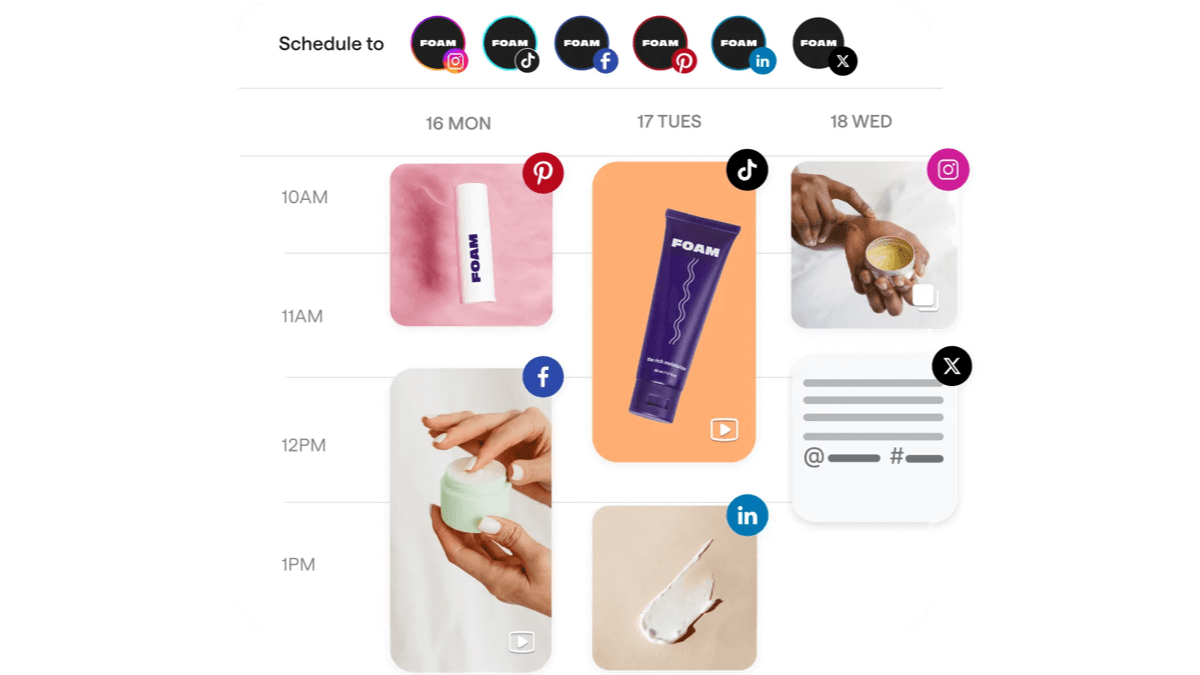
Later remains the strongest fit for visual-first distribution. The visual calendar, media library, feed preview, Link in Bio, creator tools, and short-form planning are built around how Instagram, TikTok, and Pinterest teams actually work. That makes Later valuable when an SEO article is only the canonical source—not the final social format. A comparison article can become a carousel, a how-to can become a Reel, and an original data point can become a chart optimized for visual discovery. Later has expanded beyond Instagram, but its center of gravity is still visual social. B2B teams that mainly publish text to LinkedIn and X will get better economics and a simpler workflow from Buffer, Publer, or Metricool.
Why it fits an SEO-to-AEO workflow
Turns articles into visual and video assets that reach discovery surfaces text posts miss
Key features
Visual content calendar
Plan campaigns around media assets and preview how scheduled content fits together.
Short-form video workflows
Schedule and manage TikTok, Reels, and YouTube content alongside supporting posts.
Link in Bio
Create a shoppable or navigational landing layer that routes social visitors to canonical content.
AI content assistance
Generate caption options and adapt ideas while building the calendar.
Analytics and best-time guidance
Use performance history to improve timing, formats, and recurring content themes.
Pricing
| Plan | Price | What to know |
|---|---|---|
| Starter | From $18.75/mo annually | 1 social set, 1 user, 30 posts per profile |
| Growth | From $37.50/mo annually | 3 social sets, 3 users, higher limits and inbox features |
| Scale | From $82.50/mo annually | 6 social sets, 10 users, approvals and expanded analytics |
Pros
- Best visual planning experience
- Strong Instagram and short-form workflow
- Useful link-in-bio layer
- Creator collaboration ecosystem
Cons
- Post limits on lower tiers
- Less compelling for text-led B2B teams
- Pricing and packaging have changed frequently
Verdict: Choose Later when the highest-value versions of your SEO ideas are carousels, Reels, TikToks, Shorts, and Pins.
Check pricingSocialPilot
Platform coverage: Facebook, Instagram, TikTok, X, LinkedIn, Threads, YouTube, Pinterest, Google Business Profile, and Bluesky
SocialPilot offers unusually practical account allowances for the price. Its entry Essentials plan includes five accounts, while Standard includes 10 accounts, three users, bulk scheduling, a social inbox, analytics, and collaboration. Premium adds client approvals and white-label reports. That packaging makes it a smart middle ground between creator tools and suites that charge $79 to $199 per seat. For SEO agencies, bulk import is the headline: a content repurposing sheet can feed scheduled campaigns across multiple client profiles. SocialPilot is less polished than the category's design leaders, and the most useful agency features live above the entry tier, but the unit economics are hard to ignore.

Why it fits an SEO-to-AEO workflow
Bulk import and multi-account allowances scale content distribution efficiently
Key features
Bulk import and scheduling
Upload campaign batches and distribute article-derived posts across many profiles.
Content library
Store approved hooks, assets, CTAs, and reusable content blocks for repeatable production.
AI Pilot
Generate captions, ideas, and variants with plan-based AI credit allowances.
Client approvals
Premium adds a client review layer without requiring clients to manage the whole workspace.
White-label reports
Agency tiers turn cross-channel results into client-facing deliverables.
Pricing
| Plan | Price | What to know |
|---|---|---|
| Essentials | $17/mo annually | 5 social accounts, 1 user |
| Standard | $34/mo annually | 10 accounts, 3 users, bulk schedule and inbox |
| Premium | $85/mo annually | 20 accounts, 6 users, approvals and white-label reports |
Pros
- Strong account allowance per dollar
- Bulk scheduling suits agencies
- Client approvals on Premium
- Broad network coverage
Cons
- No permanent free plan
- AI usage is credit-based
- Interface is functional rather than exceptional
Verdict: Choose SocialPilot when you manage enough profiles to outgrow creator pricing but do not need enterprise listening or governance.
Check pricingPlanable
Platform coverage: Major social networks with workspace-based pages and omnichannel planning
Planable treats approval as the product rather than a checkbox. Teams can comment beside a post, annotate creative, separate internal discussion from client-visible feedback, and require single or multi-level approval before publishing. For AEO-conscious content, that solves a real quality problem: cross-posting faster is useless if a shortened caption strips the source claim of context, attribution, or accuracy. Planable lets an SEO lead, subject-matter expert, brand reviewer, and client see the platform variants together. Pricing is per workspace with unlimited users, which can be attractive for collaboration-heavy accounts but expensive when an agency needs a separate workspace for every small client. Analytics, inbox, and listening are paid add-ons.

Why it fits an SEO-to-AEO workflow
Makes subject-matter and brand review part of cross-platform publishing
Key features
Contextual feedback
Comment and annotate directly on the post or creative instead of reconciling scattered documents.
Flexible approvals
Use no approval, optional approval, required approval, or enterprise multi-level flows.
Omnichannel planning
Review network-specific variants together while keeping one campaign and source idea.
Unlimited users
Workspace pricing lets agencies invite clients and specialists without per-seat charges.
MCP connector
Create and manage workspace content through compatible AI assistants while retaining review controls.
Pricing
| Plan | Price | What to know |
|---|---|---|
| Free trial | $0 | 50 total posts; no time limit |
| Basic | $33/workspace/mo annually | 60 posts, 4 social pages, unlimited users |
| Pro | $49/workspace/mo annually | 150 posts, 10 pages, required approvals |
| Enterprise | Custom | Multi-level approvals, SSO, API, unlimited posts |
Pros
- Best review and approval experience
- Unlimited users on workspace plans
- Clear campaign and version context
- Strong fit for expert-reviewed content
Cons
- Not the cheapest pure scheduler
- Add-ons raise the all-in price
- Workspace pricing can punish many small clients
Verdict: Choose Planable when publishing errors, review delays, and final-final copy files cost more than the scheduling software.
Check pricingAgorapulse
Platform coverage: Facebook, Instagram, Threads, X, LinkedIn, YouTube, Pinterest, Google Business Profile, TikTok, Bluesky, and Reddit
Agorapulse becomes compelling when social activity creates an operational inbox. It combines unlimited publishing, one inbox for organic messages and comments, reporting, moderation, team assignments, and ROI analysis. Supported networks now include Reddit and Bluesky alongside the major platforms, giving community-led brands unusually broad coverage. For SEO and AEO, the benefit is feedback: comments reveal the follow-up questions, objections, and language that should shape the canonical article and its next update. Standard starts at $79 per user monthly on annual billing and includes 10 profiles. That is too much for a solo scheduler, but reasonable when the team would otherwise buy separate publishing, inbox, and reporting tools.

Why it fits an SEO-to-AEO workflow
Connects distribution to conversations, community response, and ROI reporting
Key features
Unified social inbox
Manage comments and messages alongside publishing rather than treating distribution as one-way syndication.
Unlimited publishing
Schedule without post quotas across the included profile allowance.
ROI reporting
Combine social performance and Google Analytics data to connect activity with business outcomes.
Moderation and assignments
Higher plans add saved replies, rules, labels, bulk actions, and clearer ownership.
Broad network set
Direct support includes Reddit, Bluesky, Threads, Google Business Profile, and the major social platforms.
Pricing
| Plan | Price | What to know |
|---|---|---|
| Free | $0 | 3 profiles, 1 user, 10 scheduled posts |
| Standard | $79/user/mo annually | 10 profiles, unlimited posts, inbox and basic reports |
| Professional | $119/user/mo annually | Assignments, ad comments and team reports |
| Advanced | $149/user/mo annually | Advanced reports, moderation and shared calendars |
Pros
- Publishing and engagement are well integrated
- Useful ROI reporting
- Includes 10 profiles on paid tiers
- 30-day trial is generous
Cons
- Per-user pricing is expensive
- Overkill for simple cross-posting
- Advanced controls require higher tiers
Verdict: Choose Agorapulse when social replies and community intelligence are as important as the outbound schedule.
Check pricingHootsuite
Platform coverage: Major social networks; Standard manages up to 10 accounts
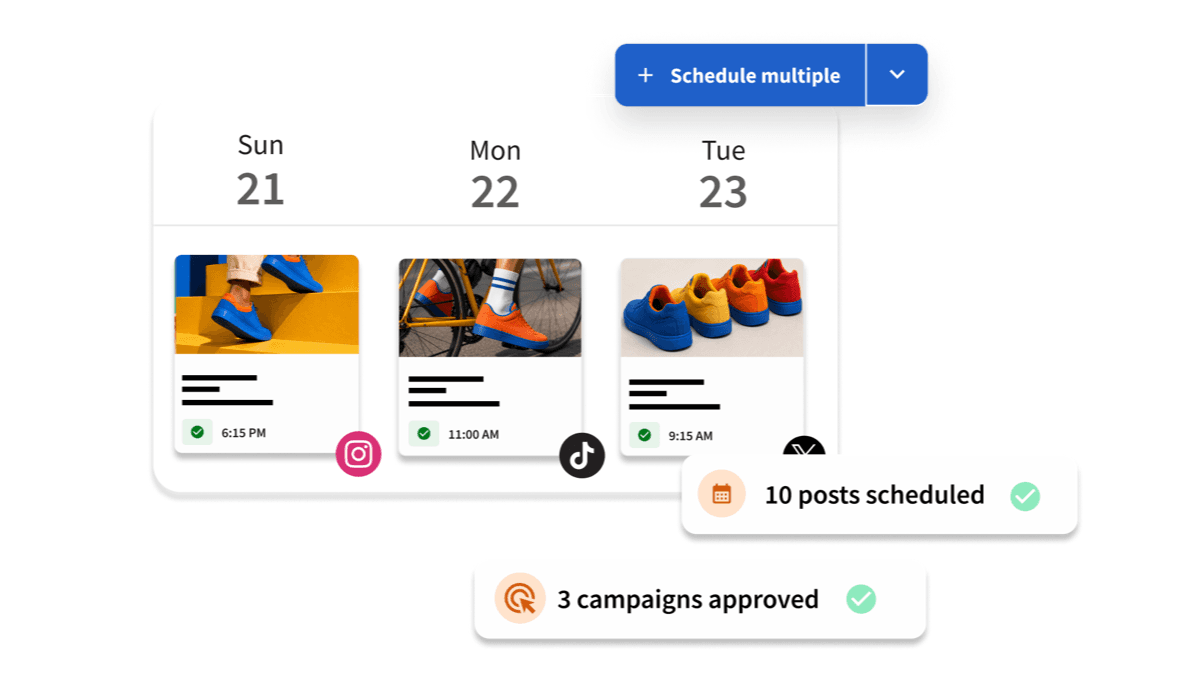
Hootsuite is the mature all-in-one choice. Standard combines unlimited scheduling for up to 10 social accounts, AI-generated posts and images, a unified inbox, and brand and competitor monitoring. Professional expands account limits, workflow automation, trend forecasting, and custom reports; Advanced adds approvals. This breadth can support a serious search-everywhere program because the team can publish, observe the conversation, and identify emerging audience language in one system. The trade-off is value: at $99 per user monthly on annual billing, Hootsuite is difficult to justify if the only requirement is scheduling. Buy it for the integrated operating layer, not for permission to put posts on a calendar.
Why it fits an SEO-to-AEO workflow
Combines high-volume publishing with listening and performance intelligence
Key features
Unlimited scheduling
Plan high-volume campaigns without post caps on paid tiers.
Wisdom AI
Generate posts and images, assist workflows, and use supported AI connections in the suite.
Listening and monitoring
Track brand and competitor conversations alongside scheduled publishing.
Inbox automation
Professional adds workflows that help route and handle repetitive community responses.
Trend forecasting
Higher tiers forecast social trends and support custom performance reporting.
Pricing
| Plan | Price | What to know |
|---|---|---|
| Standard | $99/user/mo annually | 10 social accounts, unlimited scheduling |
| Professional | $199/user/mo annually | Unlimited accounts, automation and custom reports |
| Advanced | $399/user/mo | Team approvals and expanded workflow controls |
| Enterprise | Custom | Tailored governance and service |
Pros
- Broad all-in-one feature set
- Mature monitoring and reporting
- Unlimited scheduled posts
- Suitable for complex social operations
Cons
- Expensive for small teams
- No permanent free plan
- Most SEO teams will not use the full suite
Verdict: Choose Hootsuite only when listening, inbox operations, analytics, and governance will be used. Buffer or Metricool is a better pure distribution buy.
Check pricingSprout Social
Platform coverage: Major social, review, and business messaging surfaces depending on plan and add-ons
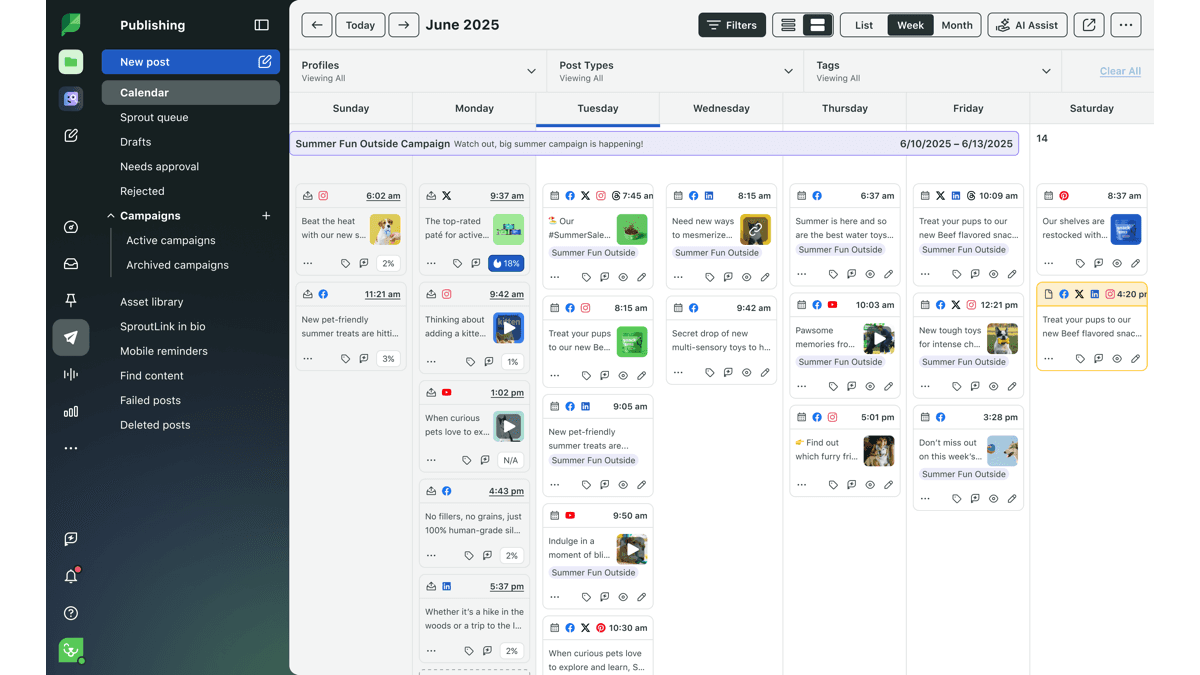
Sprout Social is the most capable enterprise platform here and the weakest value if you only want to schedule posts. The new Essentials tier starts at $79 per seat monthly on annual billing for publishing across five profiles, optimal send times, reporting, and a collaborative calendar. Standard jumps to $199 per seat and adds the Smart Inbox, monitoring, review management, and Sprout's Trellis AI agent; Professional and Advanced layer on unlimited profiles, competitor intelligence, sentiment, APIs, and customer-care reporting. The AEO value sits in that intelligence layer: enterprise teams can mine recurring questions, sentiment shifts, competitor language, and service conversations for source content. Small teams should resist the feature envy.
Why it fits an SEO-to-AEO workflow
Turns conversation, competitor, sentiment, and customer-care data into content intelligence
Key features
Optimal Send Times
Use audience history to recommend publishing windows rather than relying on generic timing studies.
Smart Inbox
Consolidate messages and customer-care work across supported profiles on Standard and above.
Trellis AI
Assist analysis and social workflows using Sprout's integrated AI capabilities.
Competitor and sentiment intelligence
Higher plans reveal market patterns that can feed editorial and positioning decisions.
Enterprise integrations
Advanced adds APIs, helpdesk connections, and customer-care reporting for cross-functional operations.
Pricing
| Plan | Price | What to know |
|---|---|---|
| Essentials | $79/seat/mo annually | 5 profiles, publishing and core reporting |
| Standard | $199/seat/mo annually | 5 profiles, Smart Inbox, monitoring and review management |
| Professional | $299/seat/mo annually | Unlimited profiles, competitor and paid insights |
| Advanced | $399/seat/mo annually | Sentiment, API, helpdesk and care reporting |
Pros
- Deepest enterprise intelligence in this list
- Strong customer-care workflows
- Excellent reporting and collaboration
- 30-day no-card trial
Cons
- Very high per-seat cost
- Core value lies beyond scheduling
- Add-ons and premium tiers raise total cost further
Verdict: Choose Sprout Social when social data informs customer care and company strategy. Do not buy it solely to redistribute blog posts.
Check pricingThe SEO-to-Social Cross-Posting Playbook for AEO
The scheduler is the last mile. The strategy begins with a source worth distributing and ends with feedback returning to that source. Use this six-step operating loop for every priority SEO asset.
- 1
Choose a canonical source
Start with the article, landing page, study, video, or documentation page that contains the complete argument and evidence. Social variants should point back to this source when a link is useful. Do not let five captions become five conflicting versions of the fact.
- 2
Extract reusable atoms
Pull out the definition, surprising statistic, comparison, checklist, process, objection, quote, and visual. One strong 2,000-word guide may contain 15 useful social units. Store each unit with its exact source and date so future rewrites retain context.
- 3
Map atoms to native formats
Use an argument or contrarian lesson for LinkedIn, concise findings for X or Threads, a chart for Pinterest or a carousel, a demonstration for TikTok or Reels, and a durable explainer for YouTube. Participate in Reddit or other communities only where the answer directly helps; automated link dropping is spam, not AEO.
- 4
Preserve entities and evidence
Keep the brand name, product name, author, category, statistic, methodology, and source URL consistent. This is the factual spine. Adapt the hook and format aggressively, but do not paraphrase a precise claim until its meaning changes.
- 5
Schedule a distribution arc
Publish the first variants near the source launch, then follow with narrower insights over several weeks. Evergreen assets can return later with a new hook, fresh example, or updated data. A queue should extend the life of expertise, not manufacture repetition.
- 6
Measure and feed the source
Track UTM-tagged referral sessions, qualified replies, branded search, backlinks, unlinked mentions, assisted conversions, and AI mentions or citations. Add useful audience questions to the canonical FAQ. If a platform repeatedly produces no meaningful response, change the format or stop investing there.
Avoid the duplicate-post trap
Cross-posting does not mean blasting identical copy to every account at the same minute. That creates weak native performance and a robotic brand. Use the scheduler to coordinate distinct expressions of one source idea.
How to Choose the Right Social Media Scheduling Software
Choose based on the operational constraint, not the demo's prettiest dashboard.
You publish one brand with a small team
Start with Buffer. It is the easiest system to adopt and the free plan can validate a three-channel workflow. Pick Publer if minimum price matters most, or Metricool if analytics are already the bottleneck.
You have years of evergreen content
Choose SocialBee. Category queues, variations, expiry, and recycling are built for systematic library distribution. Buffer Ideas is lighter; Publer is the lower-cost alternative.
Your content is visual or video-first
Choose Later for Instagram, TikTok, Pinterest, Reels, and Shorts planning. If analytics and competitor benchmarking matter more than visual polish, choose Metricool.
You manage many accounts or clients
Compare SocialPilot, Planable, and Agorapulse using your exact portfolio. SocialPilot wins on account economics, Planable on client approvals, and Agorapulse when inbox and ROI reporting are deliverables.
Social is an enterprise intelligence function
Evaluate Hootsuite and Sprout Social. Hootsuite is the broader mature operating suite; Sprout has the strongest social intelligence and customer-care story. Neither is rational for scheduling alone.
Run a 14-day proof before migrating
Connect the three highest-priority profiles, repurpose two existing articles into at least four native formats, test approval and analytics, and export the results. The best tool is the one the team will actually keep using after the trial calendar is full.
Frequently Asked Questions
Final Verdict
Buffer is the best social media scheduling tool for most SEO and content teams in 2026. It has the shortest path from an approved article to credible, platform-specific distribution. Metricool is our analytics-first value pick, SocialBee is the evergreen-library specialist, and Publer is the budget choice.
The tool is not the strategy. Publish original evidence on a canonical page, adapt it for the networks where your audience already searches and talks, preserve the facts and entities, and use the response to improve the source. That loop strengthens ordinary SEO, creates more routes into the brand, and gives answer engines more public context to discover—without pretending a scheduled post guarantees a ranking or citation.
Put the Workflow Into Practice
Meta Tags Generator
Clarify the canonical page message before adapting social hooks.
Social Media Post Generator
Create first-draft platform variants from an approved source idea.
AI Brand Monitoring Tools
Track whether distribution becomes brand visibility in AI answers.
How to Appear in AI Answers
Build the broader technical and editorial foundation for AEO.
Best Automation Tools
Connect your CMS, approval system, analytics, and scheduler.
Browse All Articles
Explore PikaSEO's SEO, AEO, and content operations library.
About the Author

Co-Founder & SEO Execution
Co-founder of PikaSEO. 11 years in corporate tech, then bootstrapped entrepreneur. Leads SEO execution and content-led growth for SaaS companies.